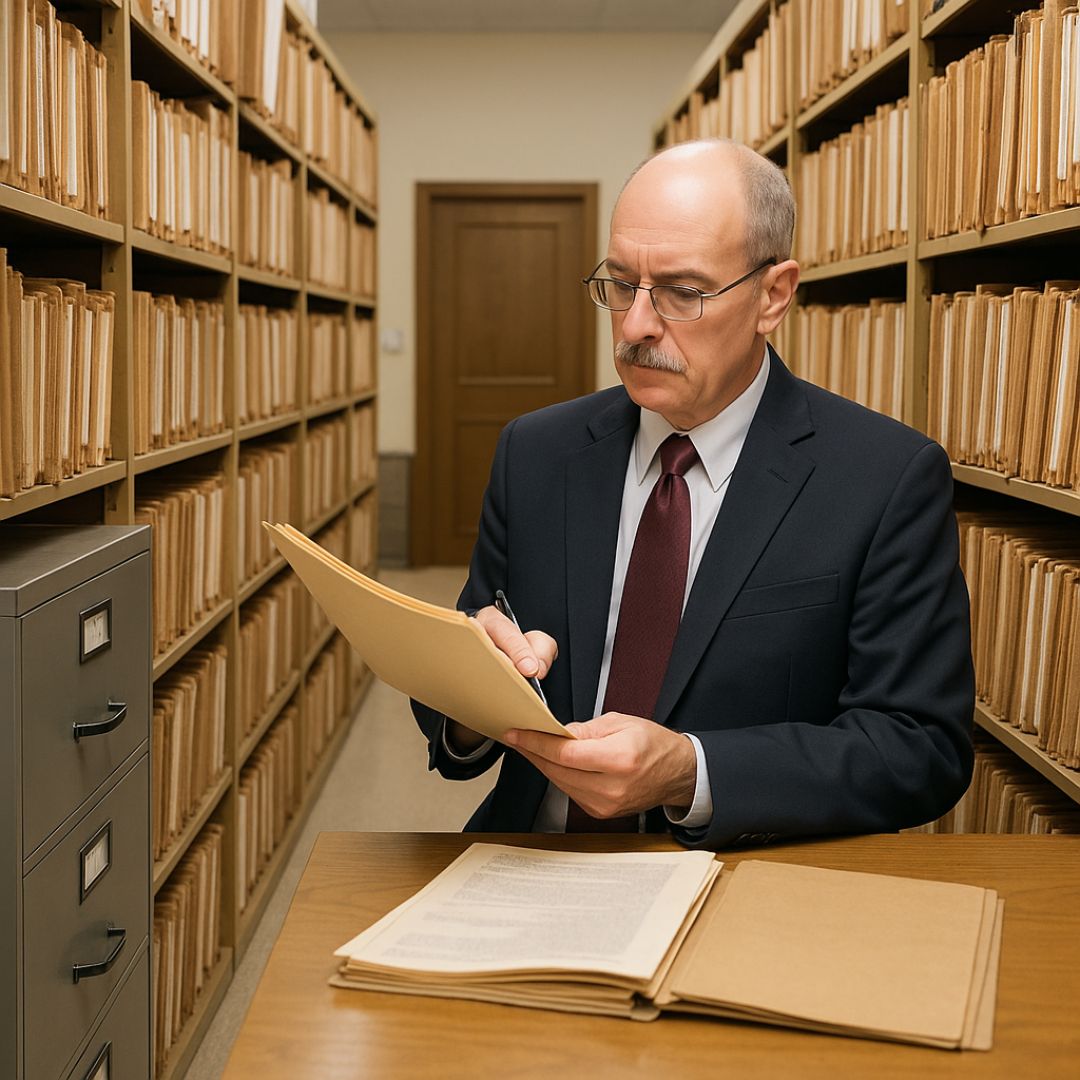
Track and Manage Documents, Files and Archives.

Total File Management Visibility
Real-Time Tracking and Rapid Location of Files using our File Tracking system

Improves operations, reduces costs and enhances customer service. Complete Audit Trail Histories and Reporting

40+ Years of Successful, Proven Experience providing file management solutions that deliver best-practices, operational efficiencies, reduced costs, compliance and enhanced customer service.

ICRM logo

Proven implementations across high-profile government, legal, and commercial organizations worldwide.

Avoid the risks of custom development. Our robust platform is ready to configure to your exact needs today.

Additional credentials include being recipient of U.S. Patent for ‘Innovative Filing System Innovation’.  In 1998, invented and developed the world’s first cloud-based document, folder and archive labeling system and gained #1 market share in the USA.  Staff have received multiple credentials through the prestigious Institute of Certified Records Managers. 

Our team has worked intimately with many government and commercial organizations worldwide, and FileTrackingIoT has been continually enhanced based on what we learn through working with our customers and in meeting their broad requirements.  All features that we add for any specific customer become core capabilities of FileTrackingIoTfor all future customers ‘out of the box’.

Our File Tracking System uses advanced RFID technology to help you:

  • Locate files instantly – no more manual searching or misplacement.

  • Track every movement – real-time updates for file transfers and retrievals.

  • Enhance security – automatic alerts for unauthorized file removal.

  • Cut operational costs – reduce time spent on audits and inventory counts.

Whether you manage legal archives, government records, or corporate documentation, our platform ensures your files are tagged, tracked, and always accessible, giving you full control and measurable cost savings.

File tracker technical topology

Zone Tracking via Fixed RFID

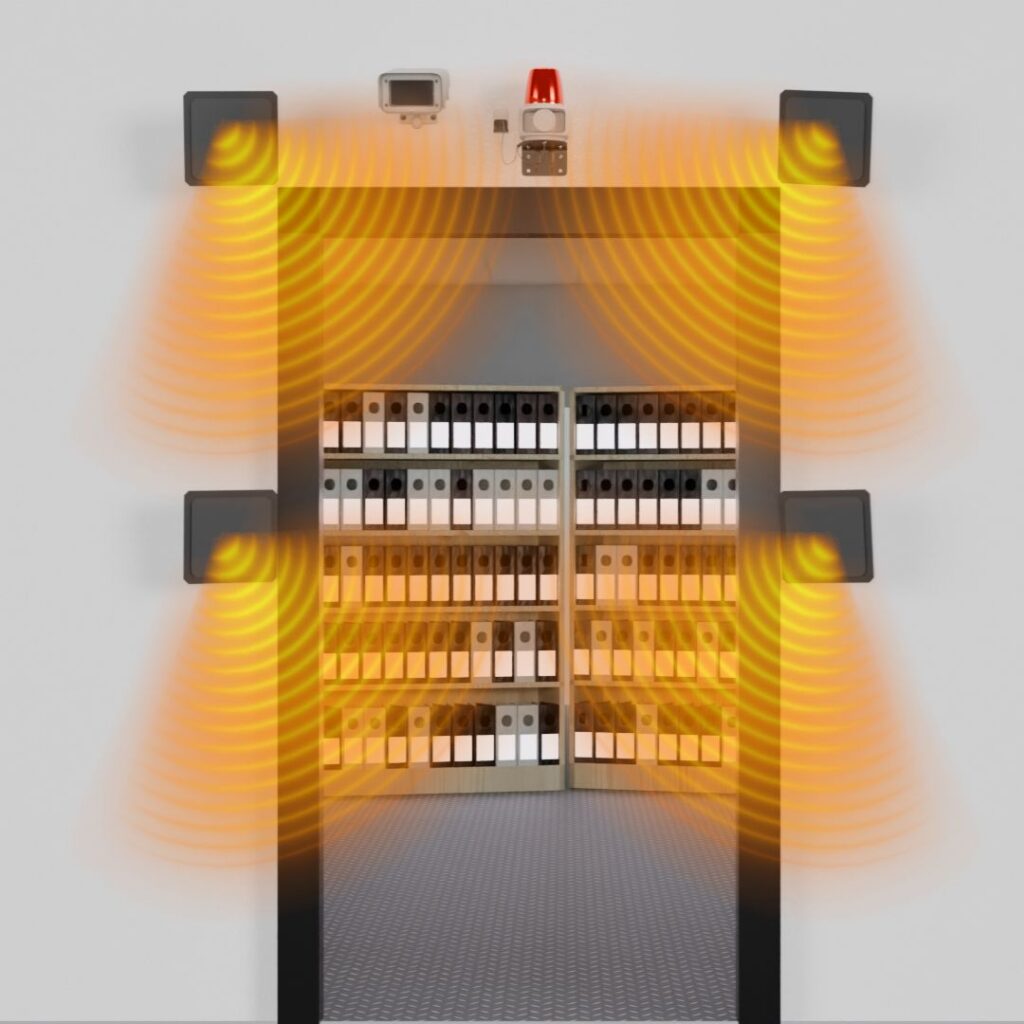
Place network-connected RFID antennas at key location zones (room entrances, Issue/Return counters). Files are passively detected as they pass through, and their location is automatically updated to the database.

Eliminate 'Where Is It?': Instantly know the last location of any file without manual check-in. Software even tracks the Direction-of-Travel.

Instant Location Guidance

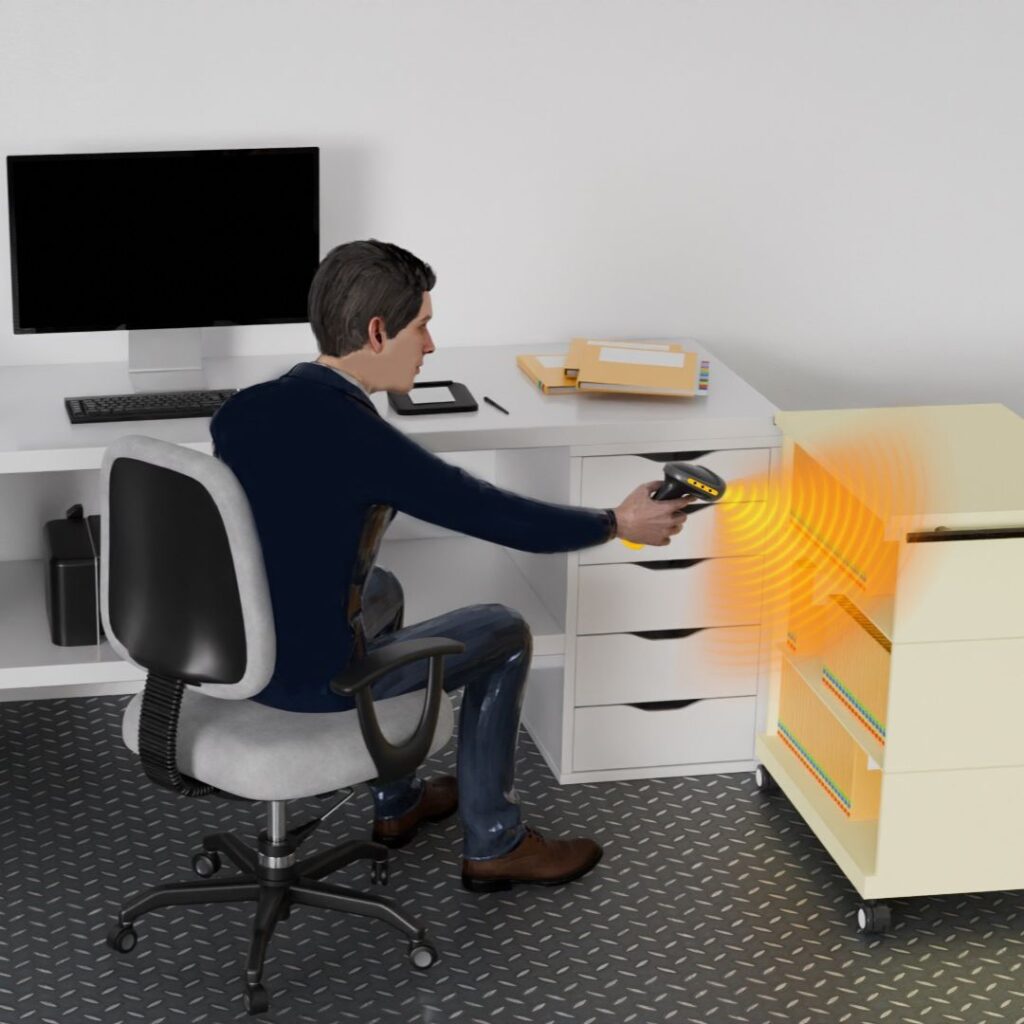
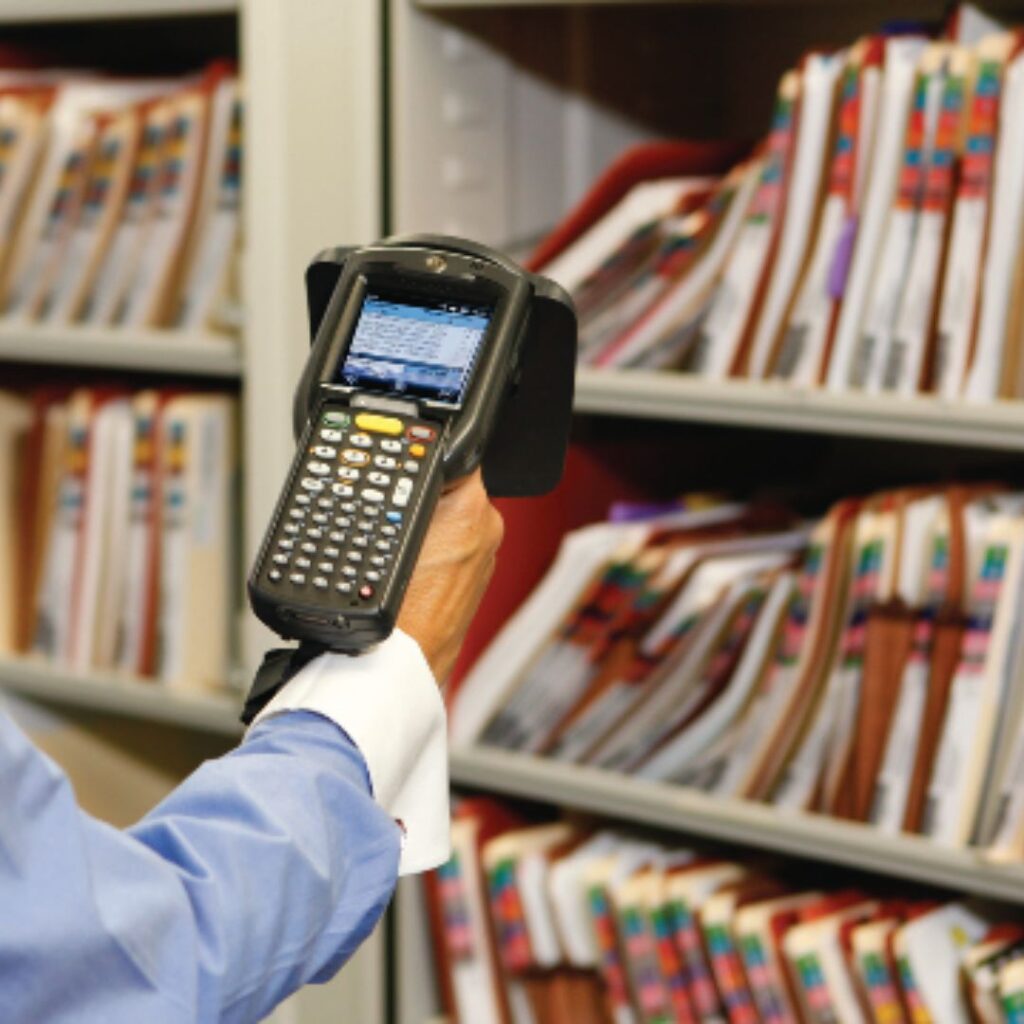
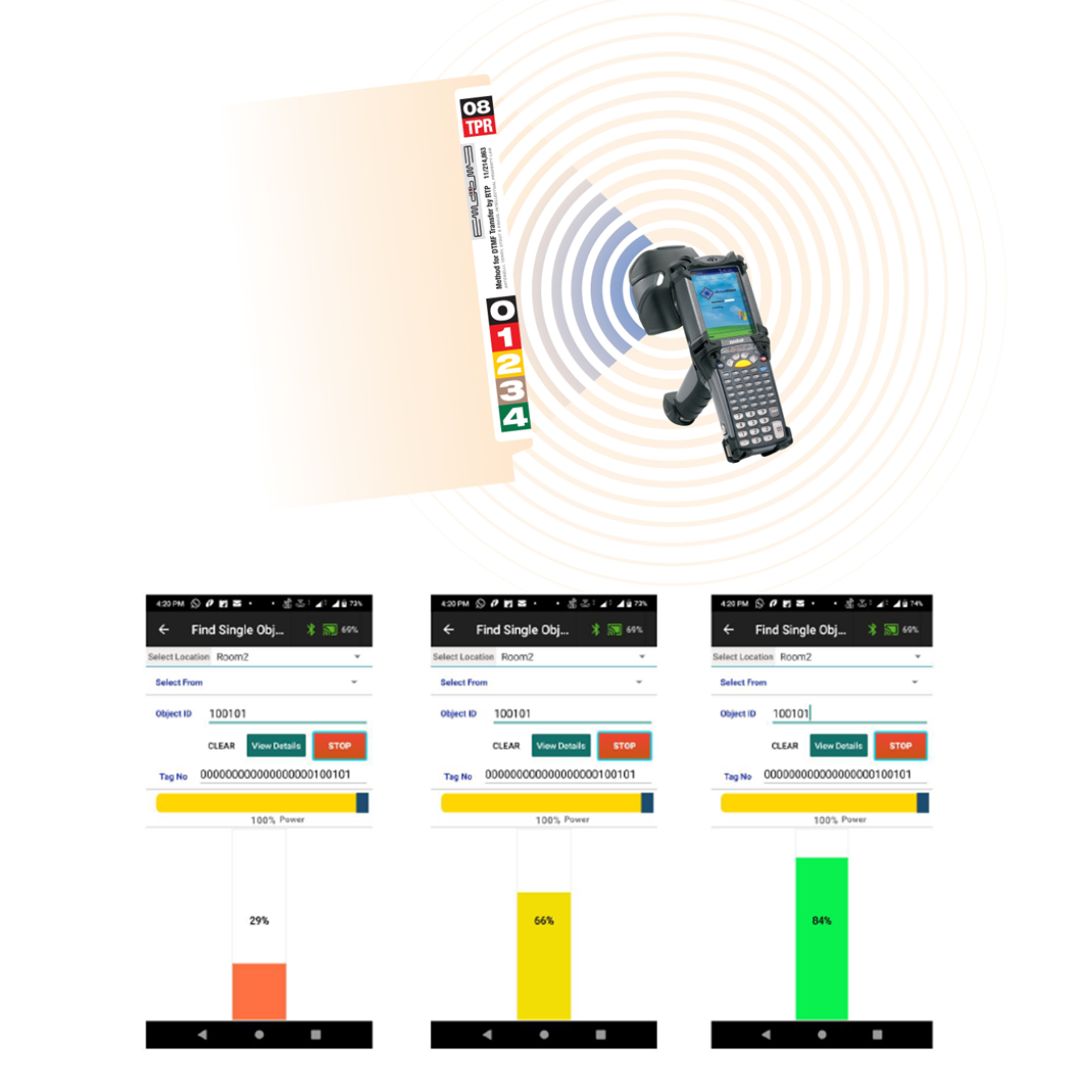
Use a mobile scanner (Barcode/RFID) to locate any file that is misplaced or in circulation. The scanner guides the User directly to the file using audible beeps and a cold-warm-hot color scale / numeric index.

Time Savings: Reduce file retrieval time from hours of searching to seconds of finding, boosting staff productivity by up to 40%.

Inventory in Seconds

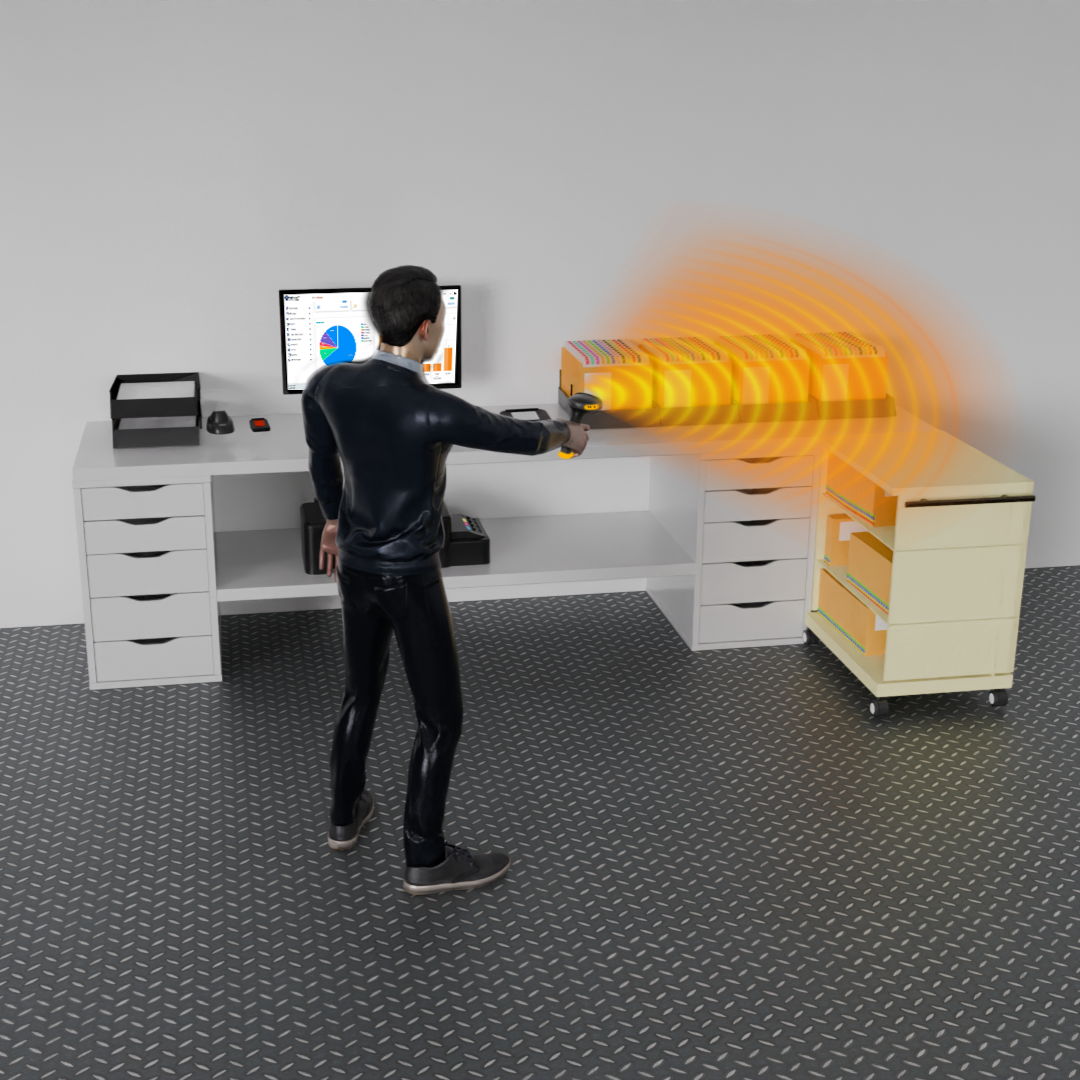
Perform full inventory of file rooms, cabinets, or dense archives by simply walking through the area with a mobile RFID scanner.

Audit Readiness: Complete full-room audits in minutes, not days. Generate instant discrepancy reports for any file that is missing or misplaced.

A proven and ready solution…

  • Globally proven file management system implementations for governments and commercial organizations, with expertise across many industries and applications.
  • Fully developed and rapidly configurable for each customer’s exacting file management data, tracking, tasks and reporting requirements.
  • IoTFileTracker has been developed by Certified Records Manager and enhanced through features and functions developed for prior customers since 1998. All features are available and configurable for each new client out-of-the-box.
  •  
  • Eliminates the risks and is less costly than custom developed solutions. IoTFileTracker is ready for immediate deployment.

With proven software and technology…

Fully developed software and tracking technologies, with complete records management features, proven through client deployments since 1998.

Advanced support of barcode and RFID (radio wave) technologies for Locating, Tracking, Inventories and Security of documents, files and archives.

  • Rapidly locate files and archives – no more manual searching for missing records.
  • Authentication of the people and entities that are receiving files.
  • Rapid and passive check-out and check-in of files and archives.
  • Capture signatures at time of transfer-of-custody.
  • Fast inventories and audits of files-in-circulation and all documents, files and archives.
  • Prevent unauthorized removals from storage system rooms and buildings.
File Tracking using Scanner
Folder Management
Searching Folders

File Indexing, Labeling and Filing System is equally important to Barcode and RFID Tracking Technologies for effective File Management.

How files are labeled and indexed is core to an efficient file management system.

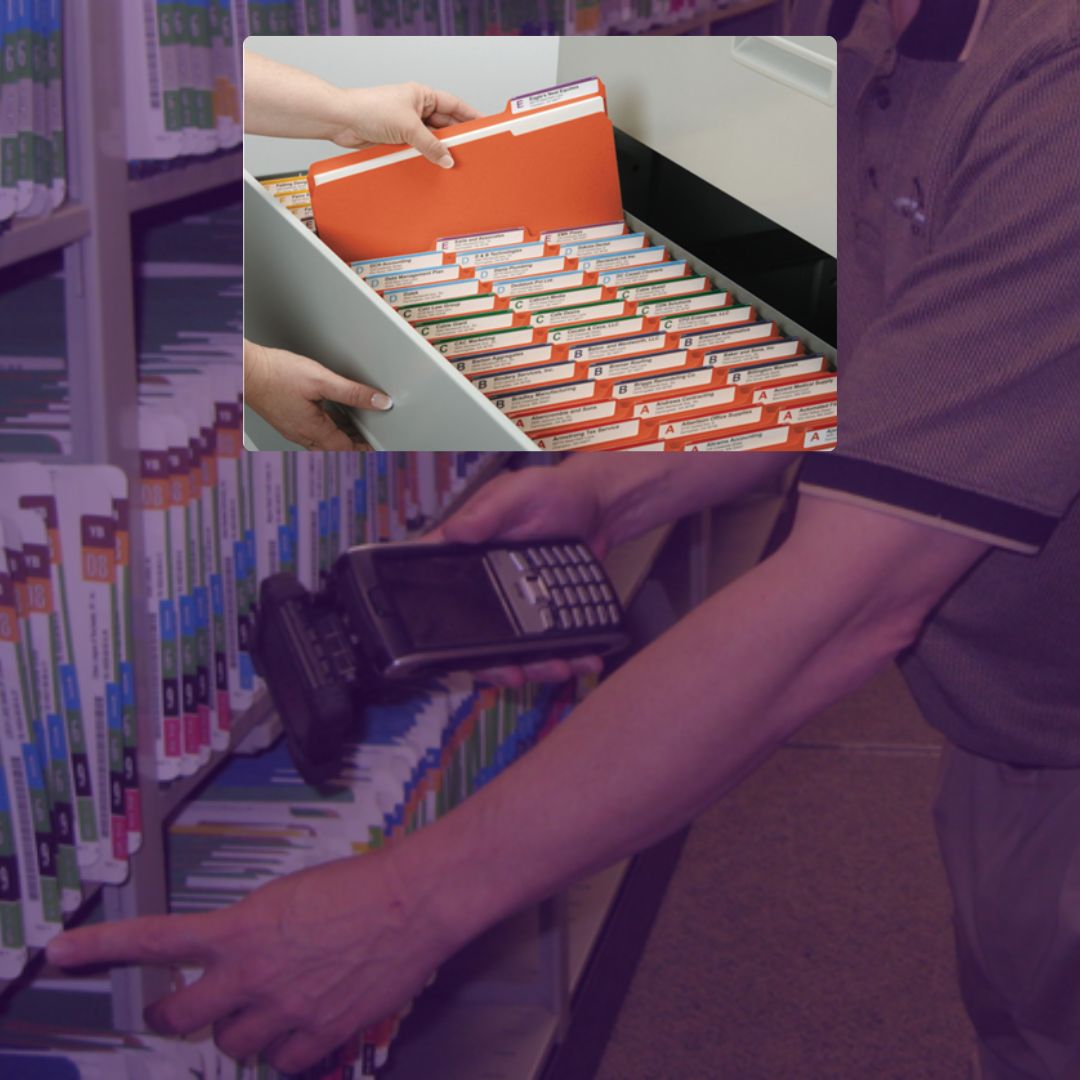
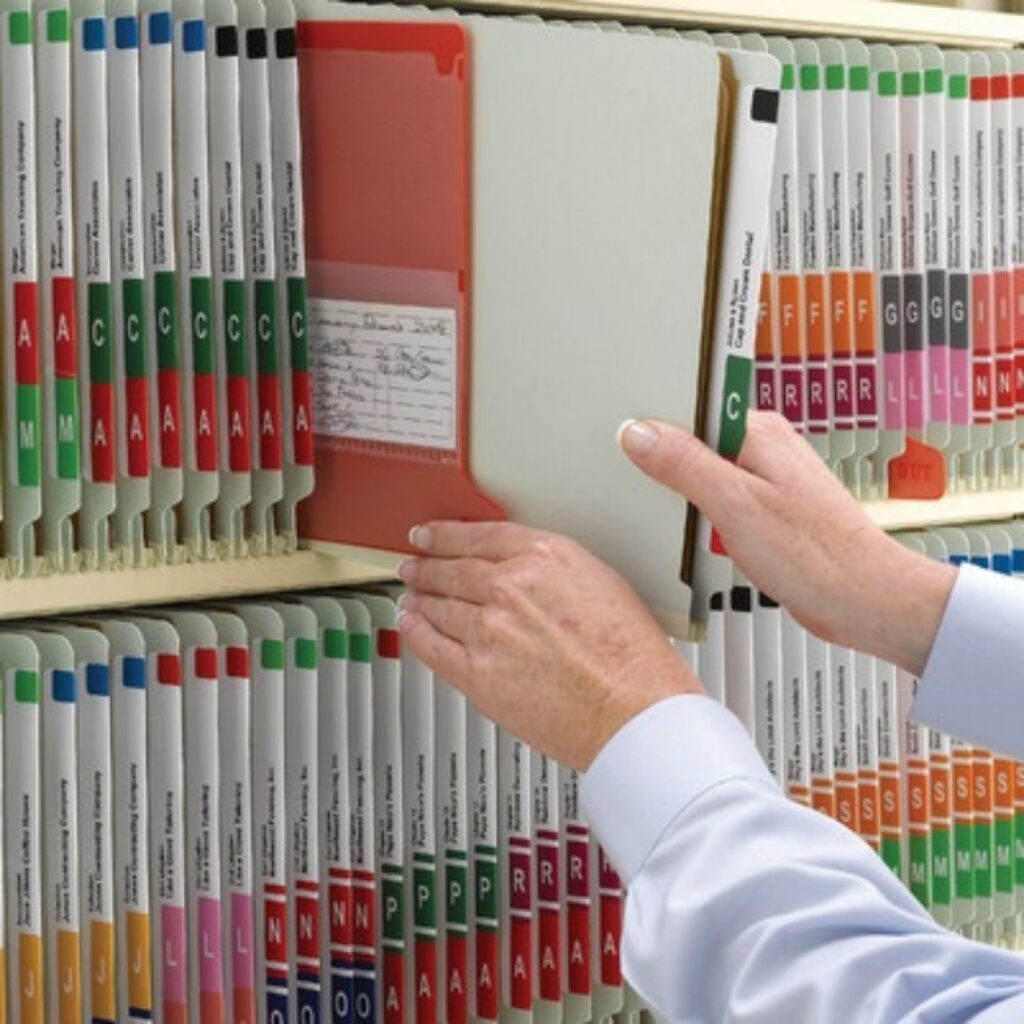
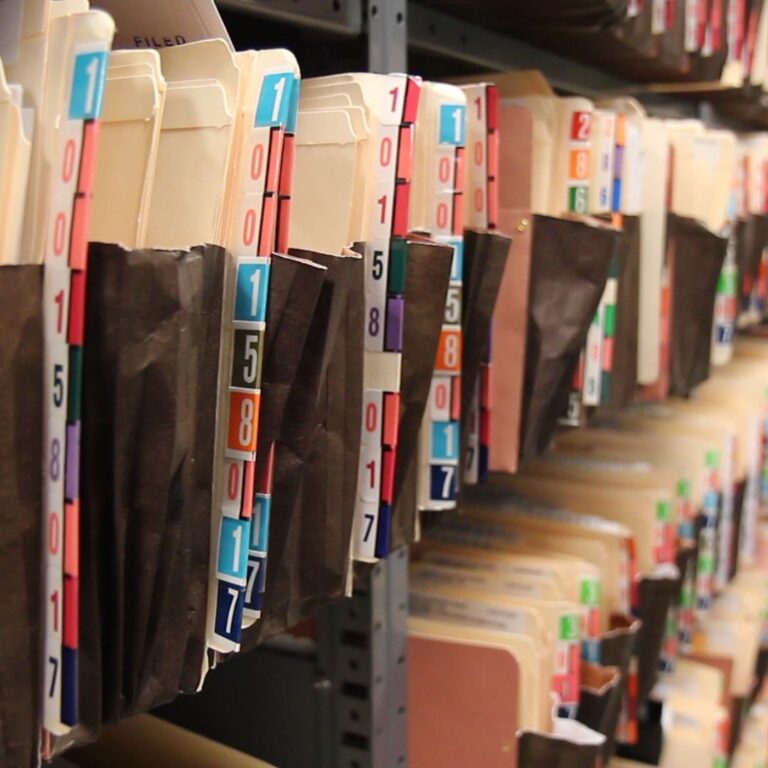
Whether side tab or top tab folders, the primary index (unique identifier) should be color-coded based on each digit of a file # or each letter of a file name. Secondary classifications can also be color-coded, such as file-type, year of origination or any such designations. Color-coding enables visual versus cognitive reading of file information, and eliminates the need to pull files off shelves or from drawers to read what is written or labeled on the fronts of file folders. Misfiles are prevented and immediately recognizable due to clashing colors. Improves productivity by 75%+.

IoTFileTracker Software
Secure Folders

Built for scale, built for security — built for your records.

IoTFileTracker Software Platform: The Intelligence of Records Management

The IoTFileTracker software platform is the central hub that registers, tracks, analyzes, and manages the entire lifecycle of your physical and electronic records. As a COTS (Commercial Off-The-Shelf) solution, it is mature, robust, and designed based on the best practices gained from over 35 years of global government and commercial implementations.

Custom Templates: Define separate data screens and field requirements for different asset classes (e.g., Documents/Folios, Active Files, Archive Boxes, Personnel).

Data Entry Control: Utilize text entry, date pickers, drop-down lists, and Yes/No checkboxes. This enforces data precision, preventing the manual errors common in spreadsheets.

Hierarchical Relationships: Easily establish and track parent-child relationships (e.g., Document A is inside File Folder B, which is inside Archive Box C).

Real-Time Visibility & Dashboards

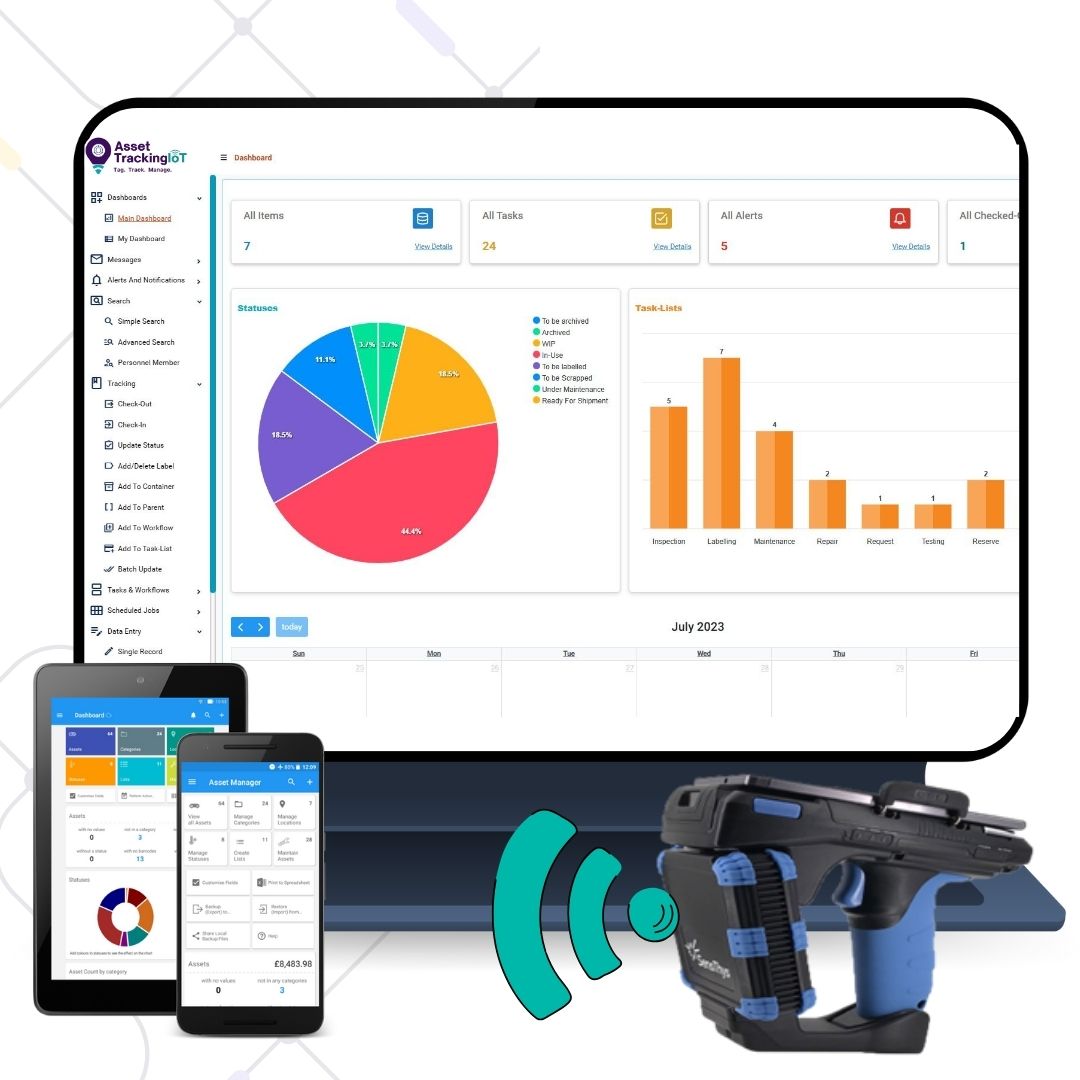
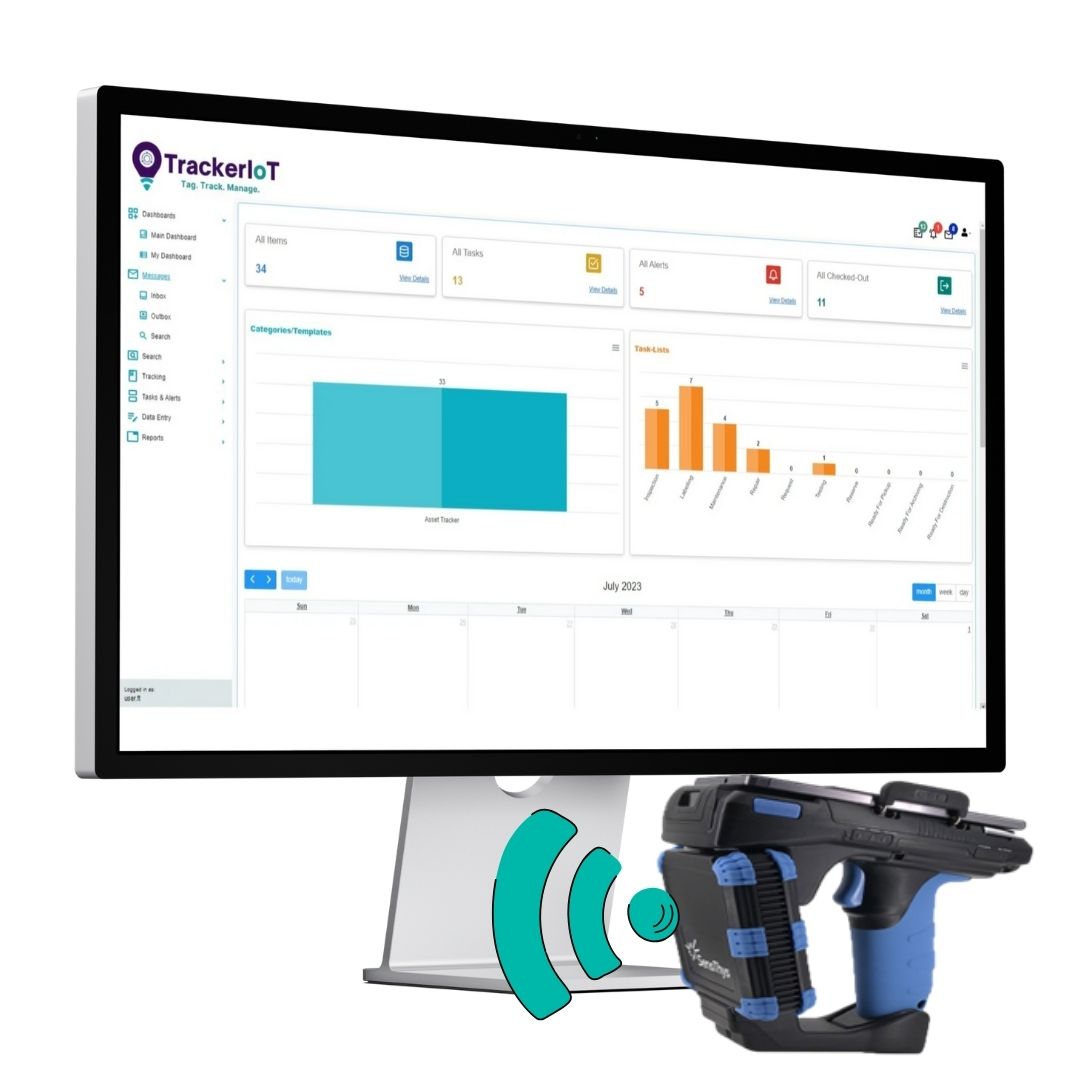
Organizational Dashboard: Provides management with a top-line view of records managementactivities, including graphs and statistics on file location, outstanding requests, overdue returns, and top-performing staff.

Personal User Dashboards: Each user receives a personalized view of their assigned tasks, file requests, and overdue items, enabling immediate workflow prioritization.

Calendar & Alerts: Automatically schedules and color-codes tasks, such as Requests, Reservations and file Pickups, based on due dates (e.g., "Due Today“, "Overdue“, “Due Within 30 Days“ etc.).

Check-In/Check-Out of Files

RFID/Barcode Integration: Processes all Check-Out and Check-In actions via fast, accurate scans, eliminating manual data entry errors.

Chain-of-Custody Validation: Records the exact location and time of transfer, along with the recipient's identity (validated via scanner, PIN, or optional electronic signature/fingerprint capture).
File Requests and Notifications: Staff can request files via the software. Records staff receive the task, and the file is delivered or the requesting party is instantly notified when the file is "Ready for Pickup."
Compliance and Lifecycle Automation

Records Classification Schema: The records classification system is established based on organizational, government, legal and compliance guidelines.

Automated Retention Scheduling: Record retention schedules are identified based on legal and regulatory requirements. The system automatically tracks file statusesaccording to predefined business rules throughout their lifecycle, from active, to inactive, to archived or permanent, and when destroyed.

Complete Audit Trail History: Every transaction, status change, and user interaction is logged in an unalterable history, providing comprehensive documentation for any internal or external audit
Barcode File Tracking
Document Tracking

Complete document, file and archives visibility

Barcode File Tracking: Accurate and Rapid File Management Processes

Barcode technology represents the most established, reliable, and cost-effective method for establishing an auditable chain-of-custody for physical files and archives. As the entry point into automated records management, Barcode File Tracking significantly reduces human error, slashes file retrieval times, and enforces accountability across your entire organization.

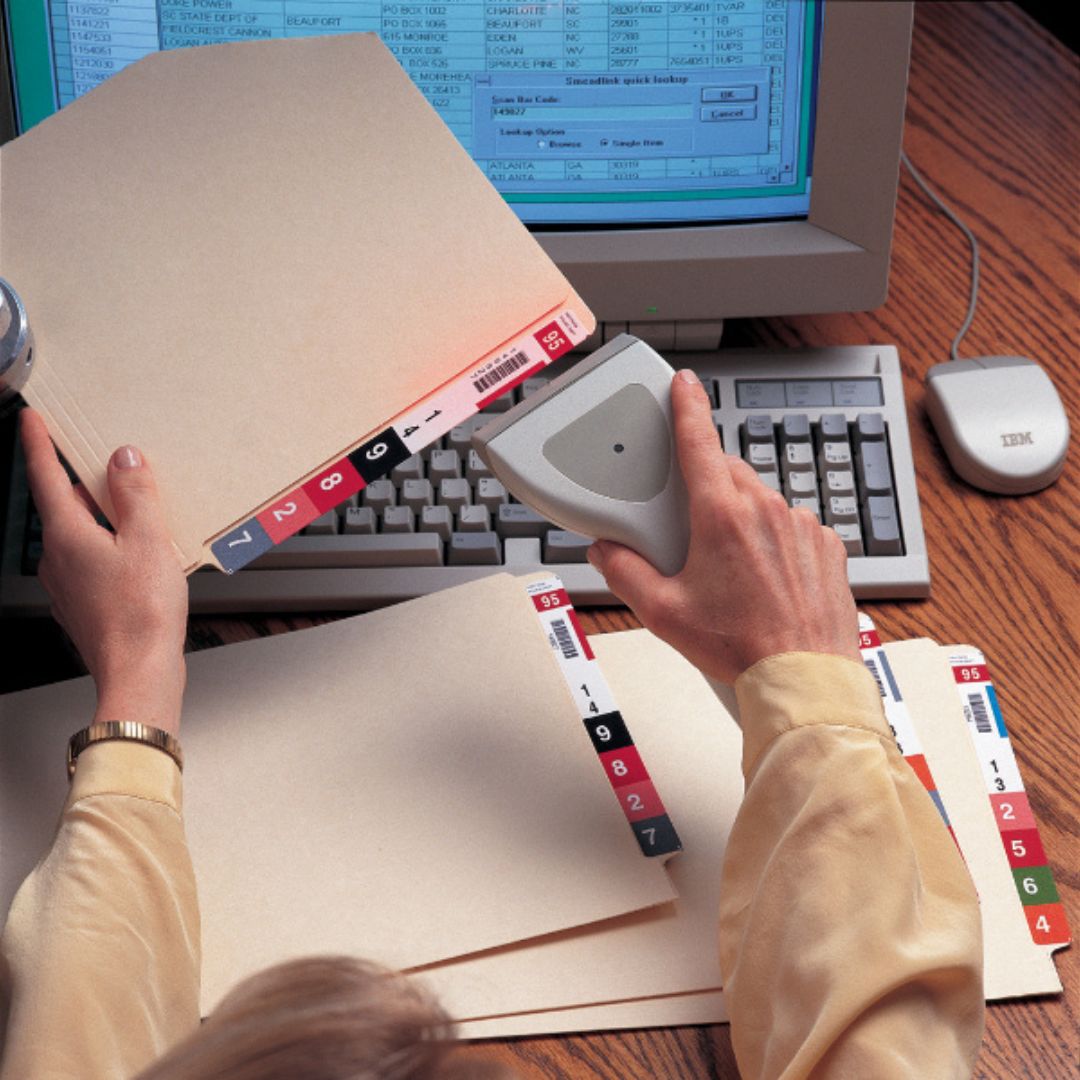
Barcode file tracking systems connect documents, files and archives to a powerful digital database via a simple point-and-scan action. Software and barcoding replaces slow, error-prone manual operations with fast, accurate barcode scanning for check-out/check in, inventories and archiving.
File Tracking System

Folios / Documents

File Foder Tracking

Files / Folders

Archive File Tracking

Archives

Rapid Check-In / Check-Out

Workstation Check-Out Process: Check-out begins with keyboard entry of a file or archive unique identifier, or by scanning a file or archive’s barcode. The destination (where the file or archive is being transferred-to) is identified by selecting the destination/location using the software, by entering or barcode scanning of personnel ID # from ID card, or by scanning a barcode printed to barcode. The system automatically records that the custody of the file has been transferred to the identified User or physical location, along with the time and date of the transaction. In addition to identifying the current locations of files, an indisputable audit trail history of each file movement is captured, clearly identifying who has a file, or where a file is physically located, and when the file was transferred to that person or location.

Check-Out at Time of Delivery: Check-out can also be performed with mobile scanner or tablet by scanning files and by scanning barcodes that identify each location or person at the time of delivery.

Check-in Process: During the check-in process, the file or archive barcode is scanned, and then ‘file room’ or ‘archive system’ barcode is scanned, or, is selected or input utilizing the software. Files and archives are automatically checked-in to their ‘home location’, including the exact time and date. Instantly and always, the system knows where all files and archives are located, whether in-storage or in-circulation.

Tracking to Storage Locations: File or archive storage system racks and shelves can be barcoded and can be scanned when files or archives are placed into storage, to know exact storage

The Complete Solution

FileTrackerIoT’s Tracking solution includes all of the necessary elements for a turn-key implementation:

 FileTrackerIoT Software: The central database for documents, files, archives, locations, personnel, statuses, and tasks, including transaction history, user accounts, and location mapping.

Software Configuration: FileTrackerIoT software is fully developed COTS commercial-off-the-shelf software that is rapidly configurable for each customers exacting data, tracking, workflow, security and reporting requirements.

Labels and Hardware: Barcode and/or RFID labels are provided for documents, files and/or archives. Hardware is provided based on requirements, including:

  • USB RFID-Barcode Desktop Scanners: For Issue/Return counters. Bluetooth Handheld Scanners: For mobility and ad-hoc inventories.
  • Mobile RFID-Barcode Scanners: To inventory/trace files in-circulation and to audit/inventory all files and archives.
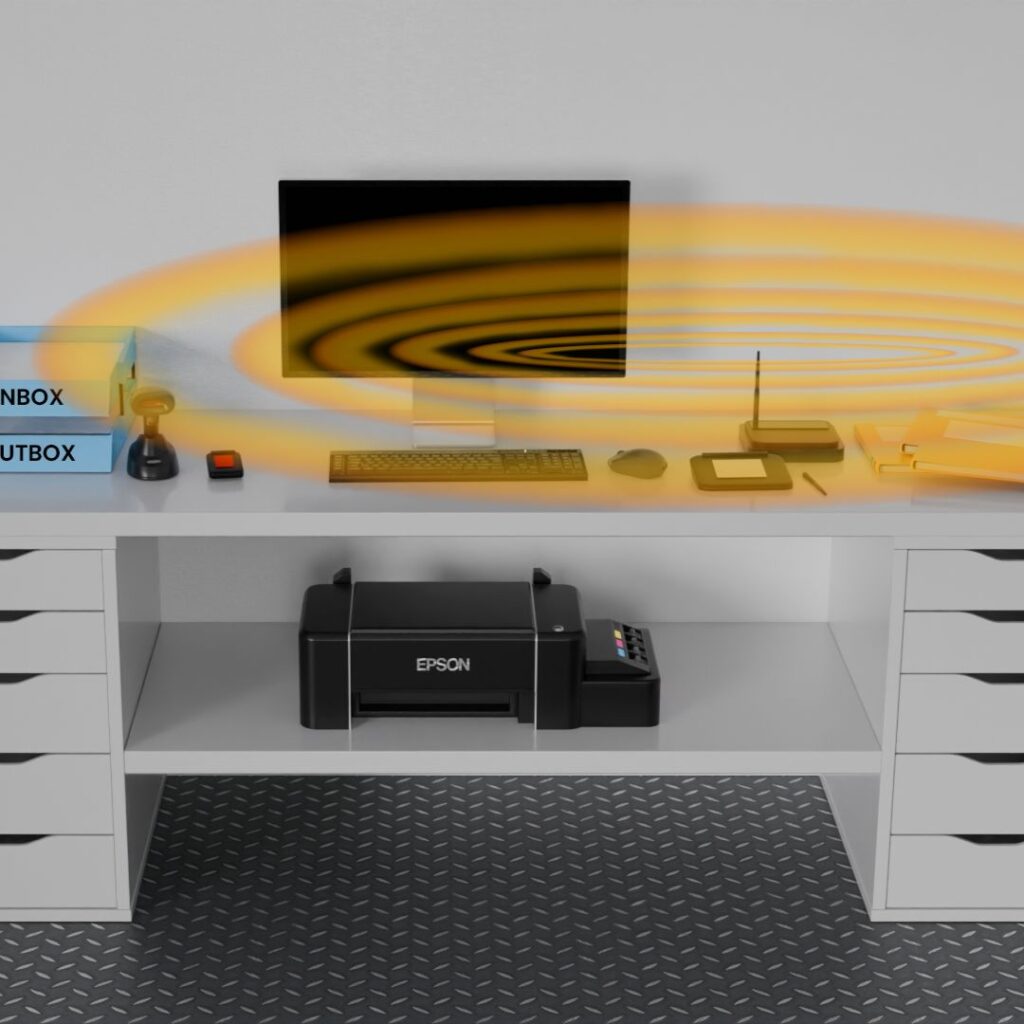
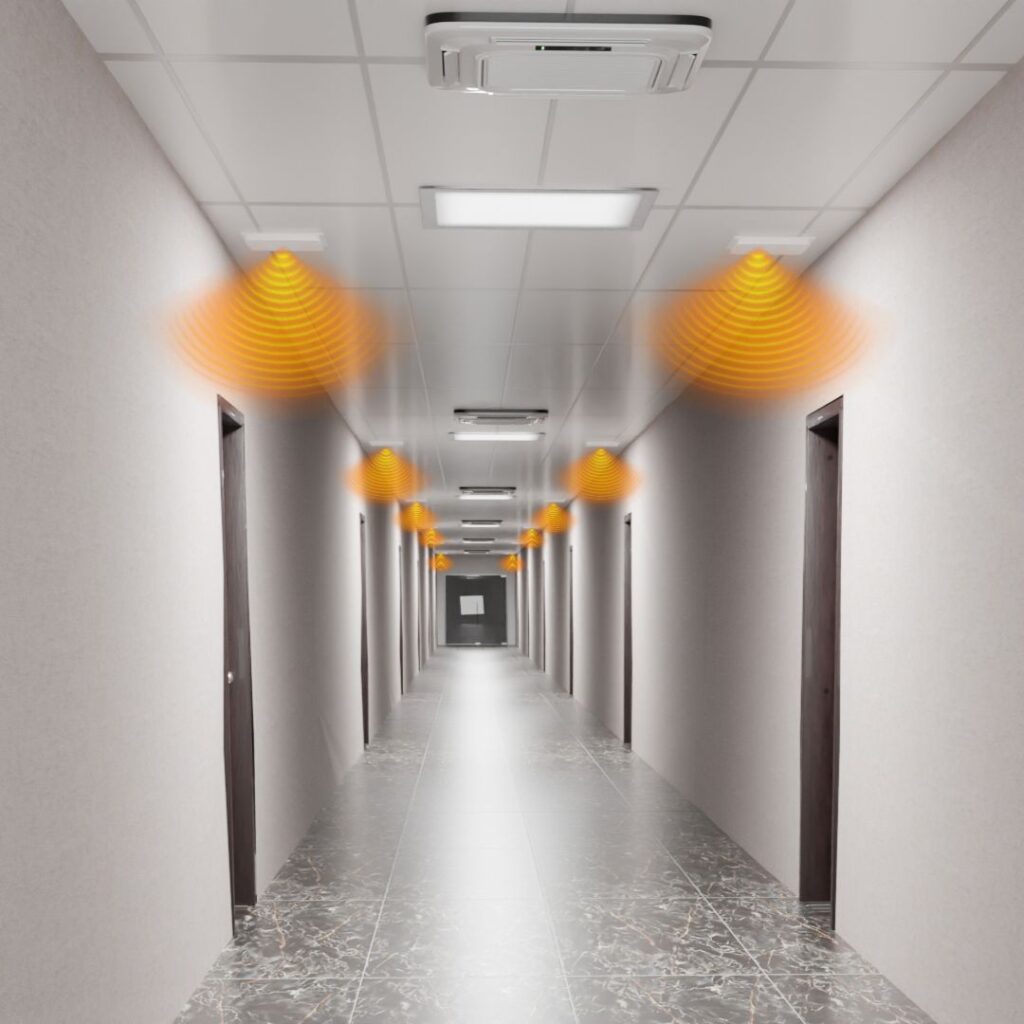
  • Facility Real-time Tracking Zones: RFID tracking zones can be established on desks, in offices, along hallways, at doors or elevators, anywhere, for real time tracking.
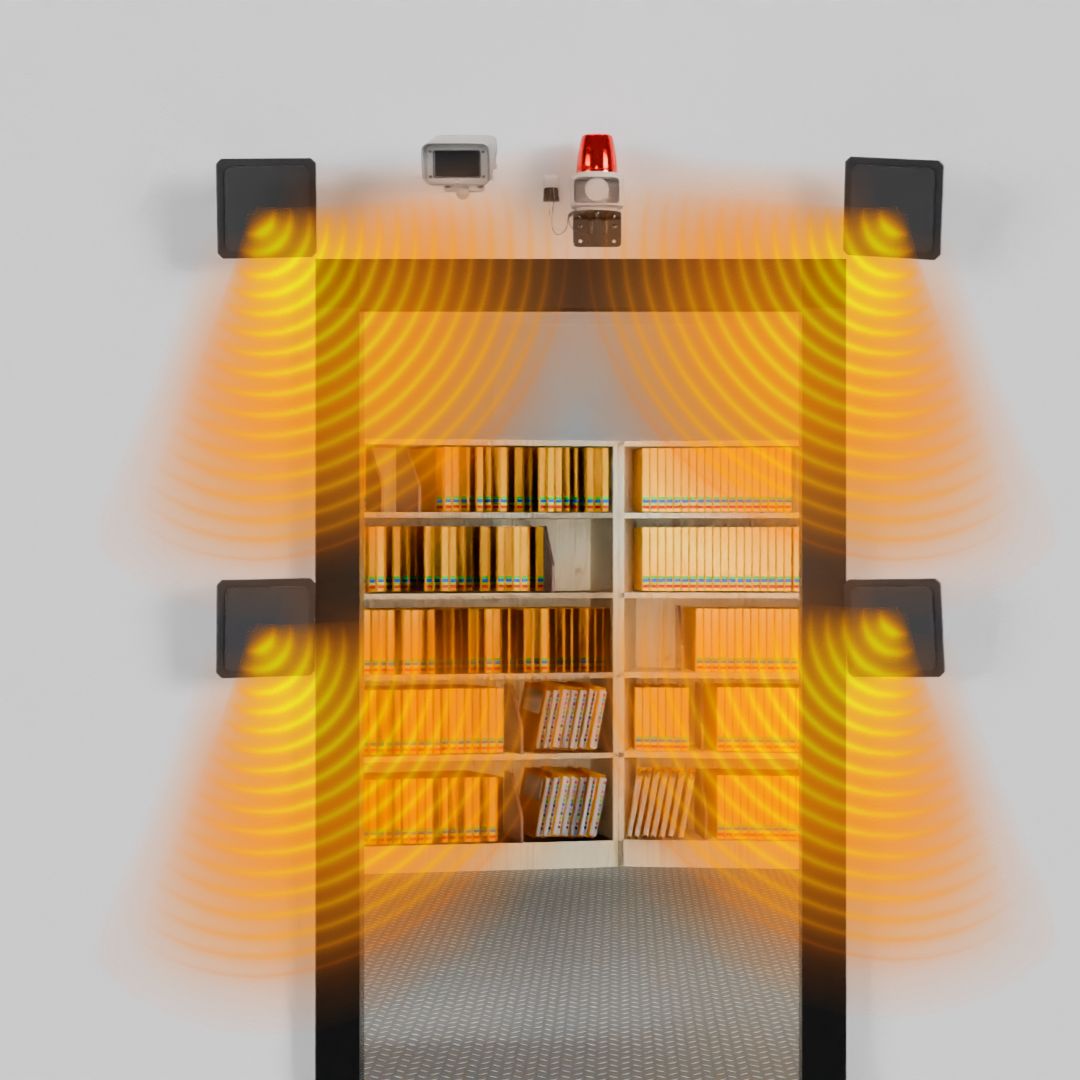
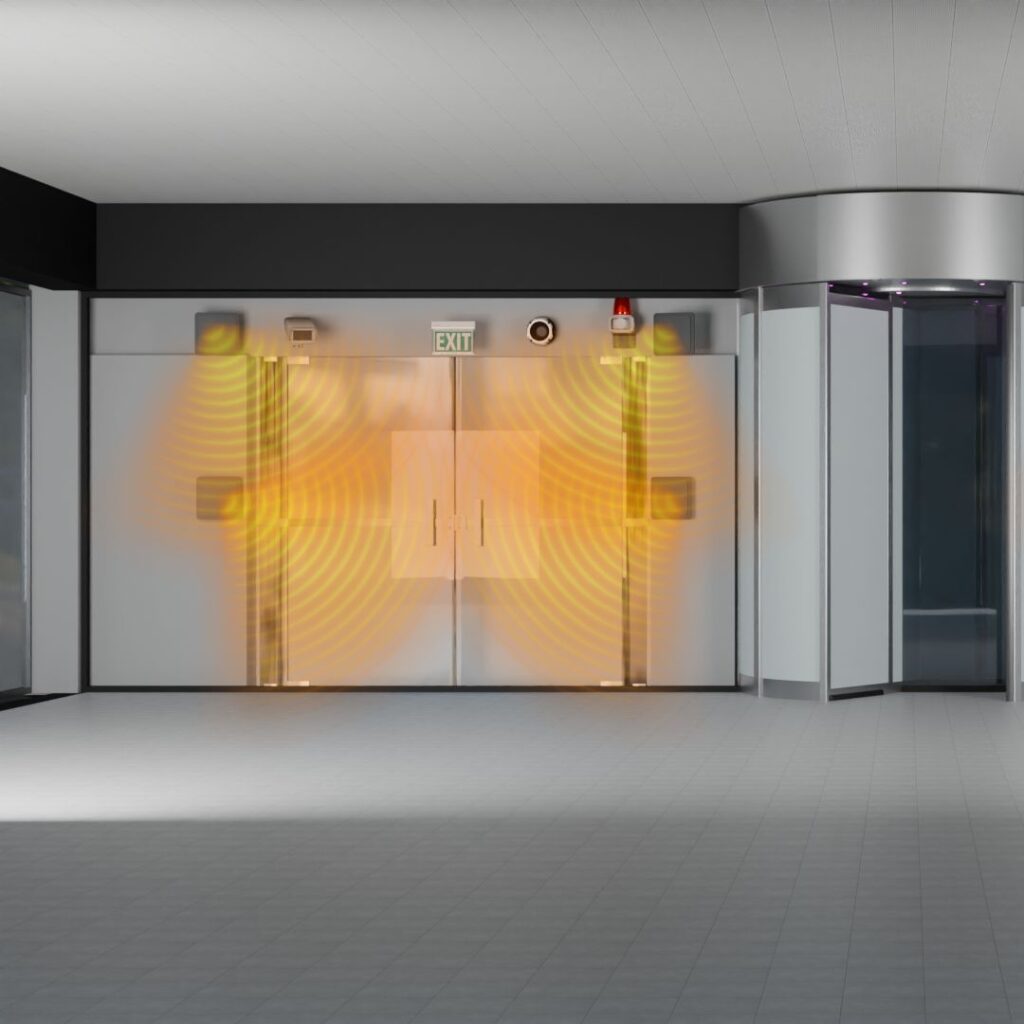
  • Alarm Exit Zones: Alarms can be placed at travel and exit points to prevent the unauthorized movements or removal of files within or from facilities.

 Installation and Support: Complete installation services, training and continued software iteration based on User feedback. Full training and support of User and Technical staff. Repair or replace hardware and labels to ensure system proper performance.

Hierarchical Records Management

Hierarchal Document-File-Archive Relationships: FileTrackerIoT extends far beyond basic file-to-person tracking —it brings hierarchical intelligence to your entire records ecosystem. Through software relationships, the system organizes documents, files, binders, boxes, and archives into parent–child hierarchies that mirror real-world organizational logic.

Parent-Child Groupings: Each scan automatically builds a relational structure between records. For example, a document (grandchild) can be linked to its folder (parent), and to the archive (grandparent), instantly connecting all individual documents, files and archives.

Documents-Folios: Documents can be numbered by handwriting or by placement of barcode and/or RFID label, identifying unique document # and correct placement within folders.

Folders: Each folder is uniquely identified by alphabetic, numeric or alpha-numeric index. Files can be tracked and each document within folders can be identified and tracked, establishing parent-child relationships between folders and documents-in-folders.

 Archives: Based on retention rules, folders are transferred into archive boxes or binders for inactive life cycle management until designated ‘permanent record’ or ‘destroyed’. While files are in archives, the software displays all details related to archives (grandparent), files (parent) and documents (grandchildren).

Archiving Process: When a file is placed inside an archive box (parent), the system automatically updates the digital location of every file contained inside the box with just one barcode scan. Even large-scale movements are simplified: moving 50 archive boxes to a new storage area takes just one step — scan the archive room’s location barcode, and all related boxes (and the files within them) are digitally reassigned to that new location

FileTrackingIoT enables management, tracking and location of documents, files and archives through parent-child database relationships for full life-cycle records management.

File Tracking System through Doorways
Document Management

Transcendent file management automation through passive, automated RFID (radio wave) technology.

RFID (radio wave) Technology: Records Management and File Tracking Functions that Streamline Staff-assisted Processes

RFID is most importantly based on the ability to detect many tags/folders/documents/archives all-at-once from-a-distance of up to 50’.

Most importantly, how do you locate files when they are missing or needed? Staff go through files and archives one by one with hands and eyes in storage and in circulation? Imagine being able to enter a file ID to a mobile scanner that transmits radio waves 25’+ so that you can rapidly locate needed files…always…fast and dependably. Being able to rapidly located needed files is a primary benefit of RFID technology.

How do you track files as they move from person-to-person and/or place-to place? RFID sensors can be placed on desks, in offices, along hallways or anywhere within facilities for real-time tracking of file locations. Mobile RFID scanners have a detection distance of 25’+, enabling rapid tracing/inventory of files.

 Is the information in files confidential…do you need to prevent unauthorized file movements within or when exiting facilities? Utilize RFID sensors and alarms at choke-points and exit-points to prevent the unauthorized movement or removal of files/archives.

RFID Check-in/Check-Out

RFID Check-in/Check-Out

Trace Inventory Files in Circulation

Trace-Inventory Files-in-Circulation

Automated Door Tracking of Files & Archives

Automated Door Tracking of Files & Archives

Track Files on Desks and in Offices

Track Files on Desks and in Offices

Automated In-Facility Tracking

Automated In-Facility Tracking

Prevent Unauthorized File Moves & Exits

Prevent Unauthorized File Moves & Exits

IoTFileTracker RFID Technology Video

Core RFID Components Labels, Hardware and Software

RFID Labels: Small, thin, durable labels embedded with a microchip and antenna. These tags are applied to documents, file folders, binders, and/or archive boxes. They are passive, meaning they have no battery and are powered only when they pass near a RFID antenna or scanner.

 Networked RFID Antennas: Installed at doorways, entry/exits, and Issue/Return counters. The antennasconstantly listen for files and automatically log their movement, direction and time. Mobile scanners are utilizized used for performing fast inventories and locating misplaced files anywhere in the facility.

FileTrackerIoT Software: The central engine that receives the data, links the tag ID to the file’s record (name, custodian, status), and provides real-time location and history via dynamic dashboards

Inventory and Locate Files in Minutes, Not Days

Bulk Scanning: Unlike barcodes, which must be scanned one at a time from close proximity, RFID readers can simultaneously read hundreds of tags from a distance up to approximately 50’ with networked antennas and 25’ with mobile scanners.

Rapid Inventories and File Tracing: Staff can walk down an aisle with a handheld reader, or point the scanner around an office, and the system instantly captures the ID of every file thatis stored or located at the location being inventoried. File locations are automatically updated within the software.

Audits and Exceptions: Mobile scanners report ‘expected and found’, ‘expected and not found ’and ‘unexpected and found’. The software immediately generates a report of ‘missing’ and ‘misfiled’ file folders.

Enhanced Security and File Accountability

Personnel Authentication: Verify personnel by software lookup, scanning ID card or by scanning fingerprint.

Electronic Signatures: Utilize USB electronic signature pads and mobile scanners to capture signature of staff or persons receive files.

Choke-Point and Doorway Security: Install ceiling or wall-mounted antennas at chokepoints and doorways. If a file approaches a tracking zone without proper authorization, the system immediately triggers a configurable alarm (audible alert, flashing lights).

Files on ‘Legal Hold’: The system can be configured to alert supervisors if a high security file is attempted to be checked out or moves in unauthorized manner.

Barcode File Tracking
Searching Folders

Rapidly Locate Missing-Needed Files from 25’+ distance with RFID Radio Wave Technology

Of all of the software and technology for physical records management, an essential ability is to rapidly Locate Missing Needed files.

How do you locate files when they are missing or needed? Staff go through files and archives one by one with hands and eyes in storage and in-circulation? Imagine being able to enter a file ID or archive # to a mobile scanner that transmits radio waves 25’+ so that you can rapidly locate needed files and archives…always…fast and dependably. Being able to rapidly locate needed files is a primary benefit of RFID technology.

Cold-Warm-Hot indicators identify needed files from 25’/8 meters+:

  • Color graph indicating cold-warm-hot proximity to a needed file, with graph size and color changing as the mobile scanner is nearer or further from needed files
  • Scanner beeps slower or faster based on proximity of file to scanner, the closer to a needed file, the faster the scanner beeps
  • Numerical index 0 to 100 indicates proximity of file to scanner, the higher the number, the closer the scanner is to the file

Step 1: Build the "Find List"

Software Query: The user logs into the IoTFileTracker dashboard (via PC, tablet, or mobile app).

Identify Missing Files: The user searches for a single file ID (e.g., "Case File 4578") or runs a report on files that are "Overdue" or "Not at Expected Location."

Download List: The system instantly compiles a "Find List" containing the unique identifiers (EPCs) of all target files and downloads it to the mobile handheld RFID scanner.

Step 2: Trace and Locate

FileTracker IoT’s handheld RFID scanners make locating files incredibly fast and intuitive through proximity-based guidance — combining auditory, visual, and extended-range feedback to help users pinpoint exact file locations within large storage areas.

The Auditory Cue System functions much like a Geiger counter or metal detector, emitting a series of beeping sounds that increase in frequency as the user moves closer to a target file. This “hot–cold tracking” approach allows personnel to navigate naturally through aisles or cabinets, homing in on specific files from the active “Find List.” As the beeps accelerate, the user instantly knows they are approaching the correct shelf, cabinet, or drawer.

Complementing the sound guidance, the Visual Cue Interface on the scanner screen displays a color gradient scale and a numeric proximity index ranging from 0% to 100%. The display transitions from blue (cold) to red (hot) as the RFID signal strengthens, providing centimeter-level precision. This means users can easily differentiate between two files placed side by side or identify the exact binder among dozens on a tightly packed shelf.

Beyond Finding: Rapid Inventory and Auditing

Rapid Inventory (Stock Take): Instead of searching for missing files, the mobile scanner can perform a full inventory check of an entire room in less than 30 seconds. The system rapidly scans all files within range and instantly reconciles the detected tags against the database's record for that specific location.

Trace-and-Find in Archives: Quickly determine which inactive records are inside a specific archive box or binder. Scan the Box's ID, and the software confirms the current contents and the physical location of the box within the archive.

Color-Coded Anti-Misfiles: The Find-a-File feature supports your color-coded labels, helping staff visually locate and place the file back in its correct colored grouping, preventing future misfiles.

Find-A-File Technology video

IoT Tracking System
Digital File Tracking

One platform for the integrated management of physical and electronic documents.

Electronic Document Management System (EDMS): Blending Physical and Digital Records

In today's highly regulated industries—legal, healthcare, and government—the reality is that critical documents (signed originals, evidence, patient histories) must exist in both physical form (for legal integrity and authentication) and electronic form (for search, collaboration, and remote access).

IoTFileTracker is the only solution that seamlessly manages this Hybrid Records Environment, combining world-class physical asset tracking (Barcode/RFID) with a robust, feature-rich Electronic Document Management System (EDMS).

Seamless Physical-to-Digital Linking

Attachment Utility: Easily attach scanned documents, digital correspondence, or complete electronic folders to the physical file’s unique database record in FileTrackingIoT.

Instant Access: When staff query the system for the physical file’s location, they are simultaneously provided with a link to the most current digital version, eliminating the need to physically retrieve the folder just to view a document.

Hybrid Audit Trail: All digital access (views, edits, downloads) are logged alongside the physical movement (check-out, inventory count) in a single, comprehensive file history.

Document Lifecycle & Workflow Automation

Automated Retention Scheduling: Files can be classified based on regulatory requirements. The system automatically flags and initiates workflows for documents scheduled for archiving, permanent vital record status or destruction, preventing compliance deficiencies.

Version Control: Automatically track revisions and drafts. Users always work on the most current version, while prior versions are preserved and accessible, allowing for full roll-back capability if needed.

Approval Workflows: Configure digital routing rules for documents (e.g., invoices, contracts, etc. requiring multiple sign-offs. Documents progress automatically through the chain of command, with alerts and notifications at each approval stage.

Digitization and Data Capture

Scanning and Indexing: Integrates with document scanners to digitize documents and paper recordsto electronic format.

Metadata Tagging: Data fields are automatically extracted and indexed, making files searchable not just by name, but by content, date, client name, and document type.

Microfilm: Permanent or other records can be converted to microfilm format for permanent and vital records.

File Storage System
File Folders

File folder design, colour-coding, misfile prevention: Document Lifecycle management

Storage & Supplies: The Physical Foundation of File Management

While FileTrackingIoT provides digital intelligence and real time tracking (RFID/Barcode), the efficiency of your records management operation ultimately depends on the physical infrastructure. Outdated storage, inefficient filing systems, or poor quality supplies can negate the benefits of the best software.

We provide expert consultation and high-quality products to ensure your file room and archive storage systems are maximized for capacity, speed, and seamless integration with our tracking technology.
File Foder Tracking

File Folders

Document Fasteners

Document Fasteners

Doc-Type Dividers

Doc-Type Dividers

Storage Systems

Storage Systems

File Folders and File Labeling

The file folder itself is the vessel for your most critical information. Folder designandlabelingmust be optimized for efficiency andease-of-use. Rapidly locating needed files is the first step in physical file management.

File Folders: There are many styles of top tab and side tab file folders to meet your requirements.

File Labeling: We utilize a system where unique colors are assigned to key index digits or alphabetic characters. This shifts filing from a cognitive, error prone task to a rapid, visual process.

Misfile Prevention: When a file is placed in the wrong section, the sequence of colors is broken (the colors clashe), making the misfile immediately visible to the human eye before it becomes a lost record.

Document Lifecycle & Workflow Automation

Once folders are located, staff need to be able to rapidly located specific, needed documents that are stored in file folders. Quick document retrieval is achieved through fasteners and dividers

Partition Folders: File folders can include internal partitions to organize documents by sections.

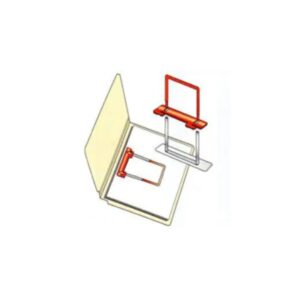
Document Fasteners: Metal clip and plastic ‘extension clip’ fasteners can be utilized to enable fast and accurate pull and put-back of documents within folders.

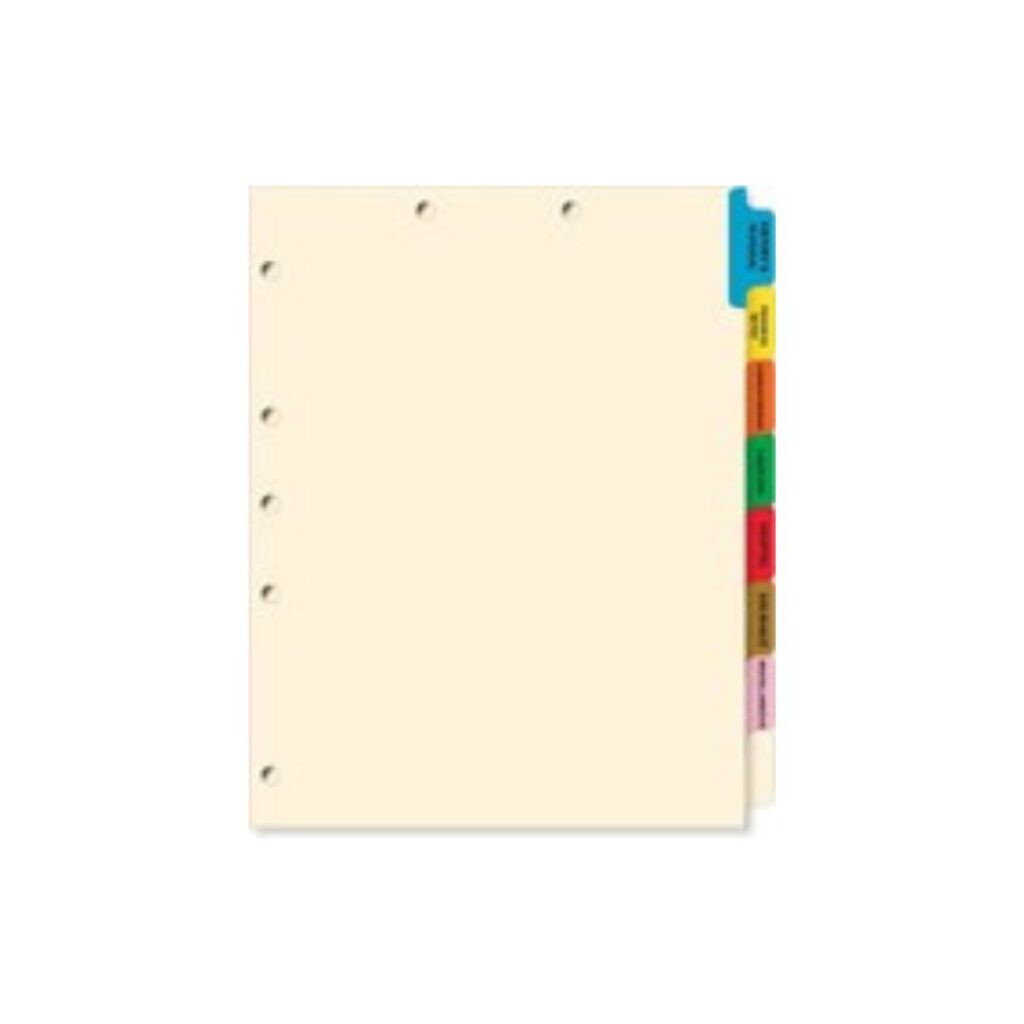
Doc-Type Dividers: Index tabs with document-type heading and color coding can be inserted into file folders to organize documents based on document-type. Enables staff to most rapidly place documents into files and retrieve documents from files.


Archive Management and Supplies

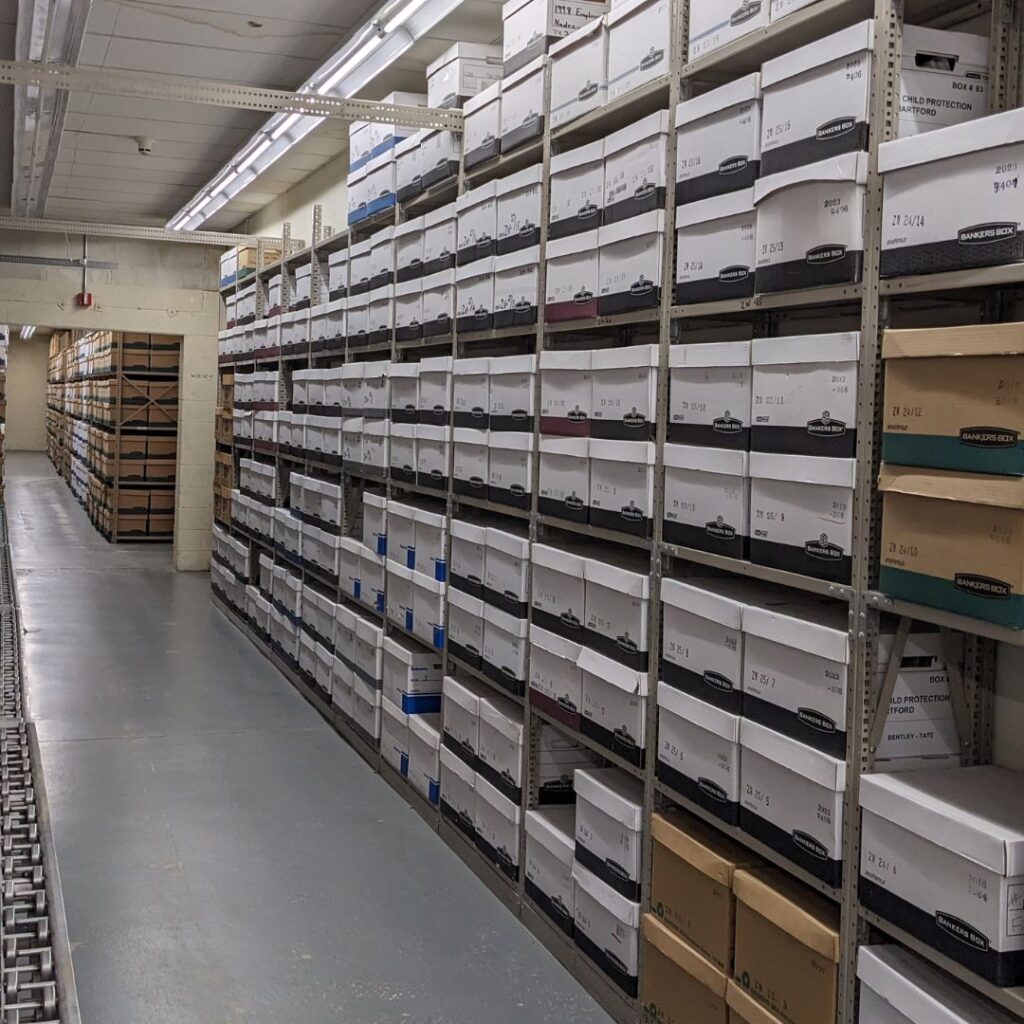
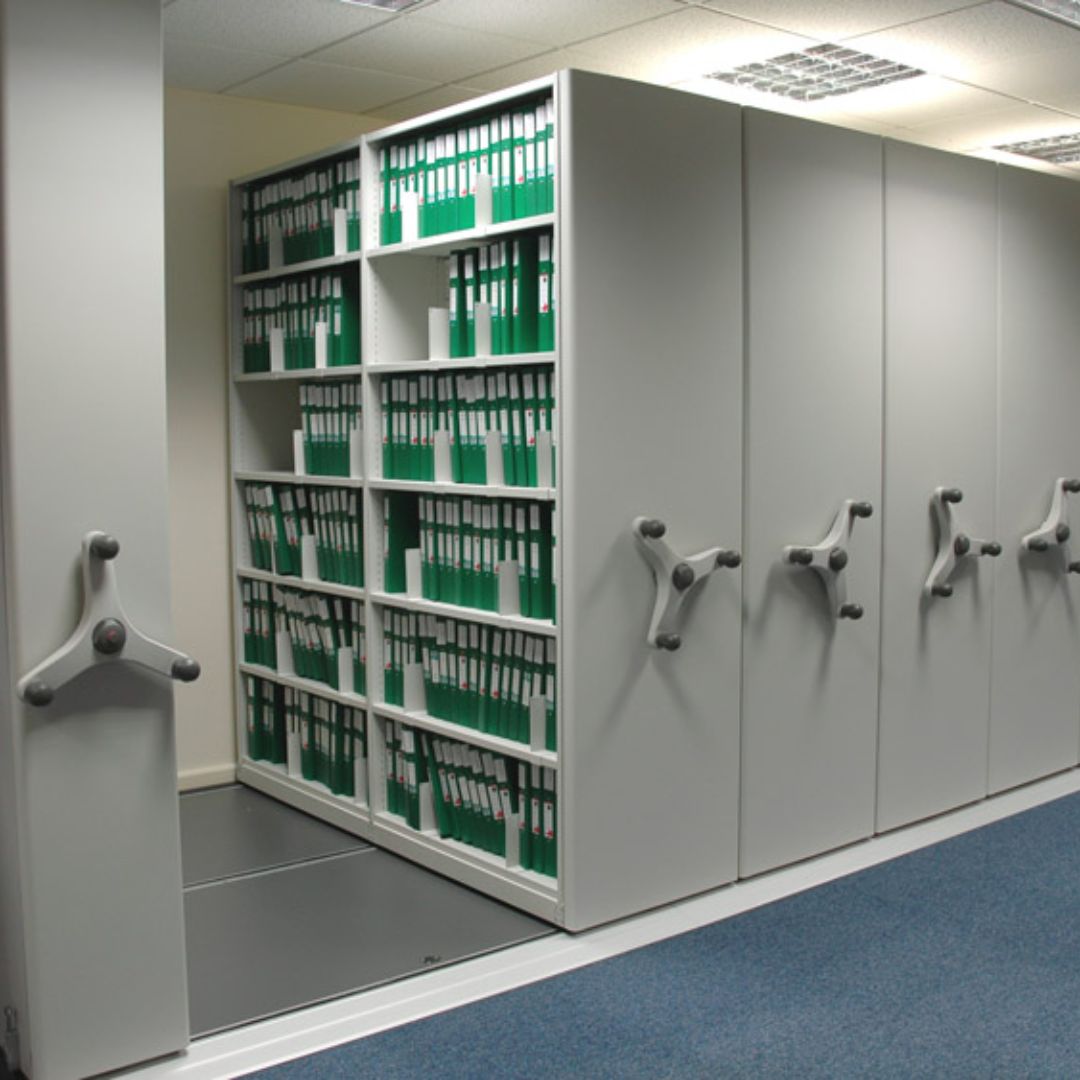
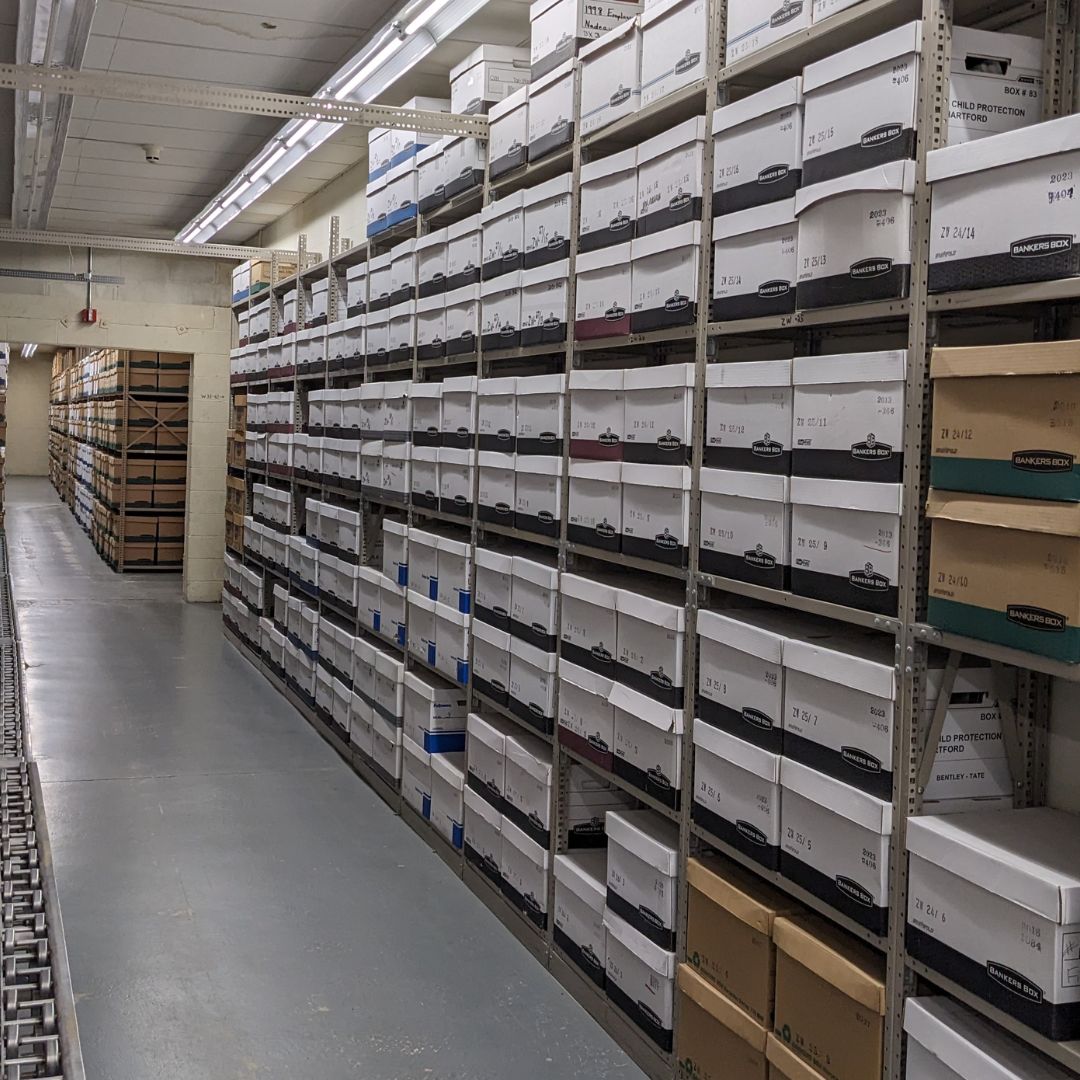
A wide range of static, moving and electronic storage systems are available for housing files and archives.

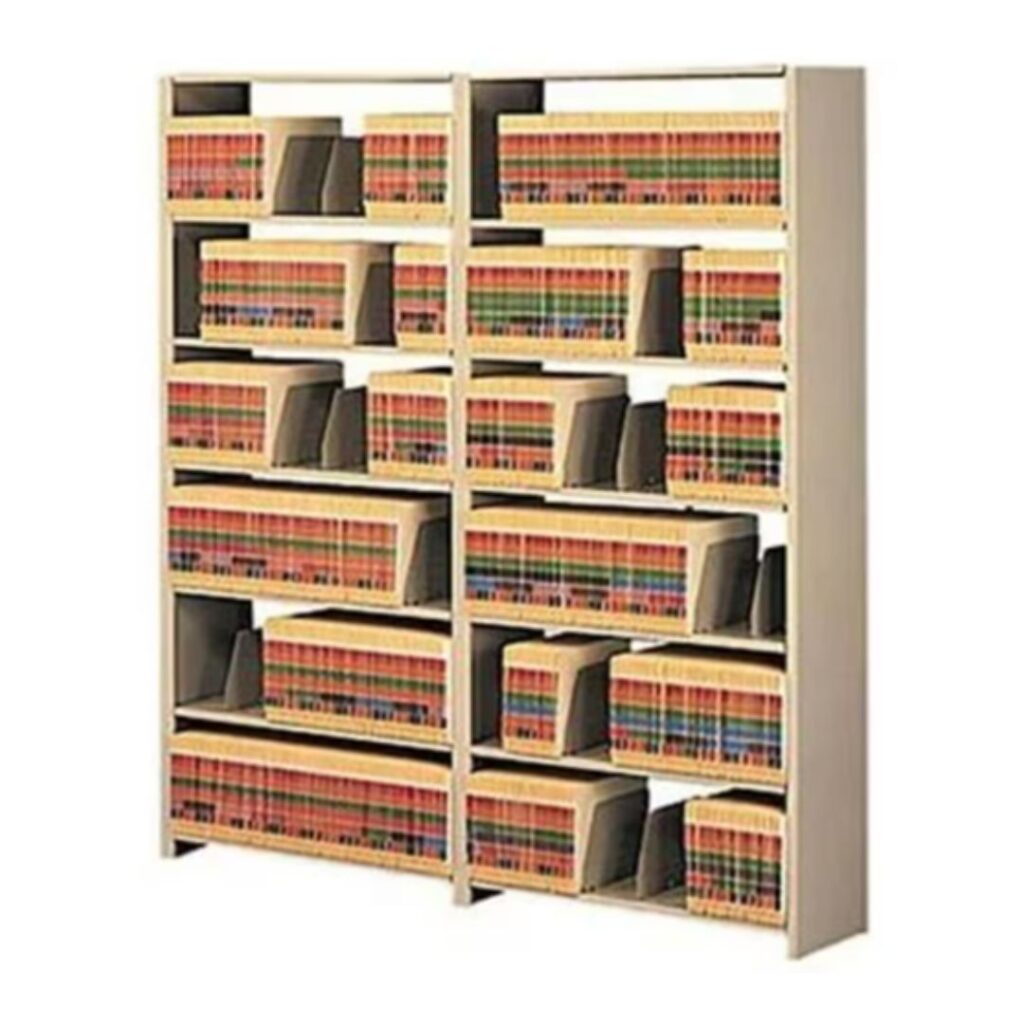
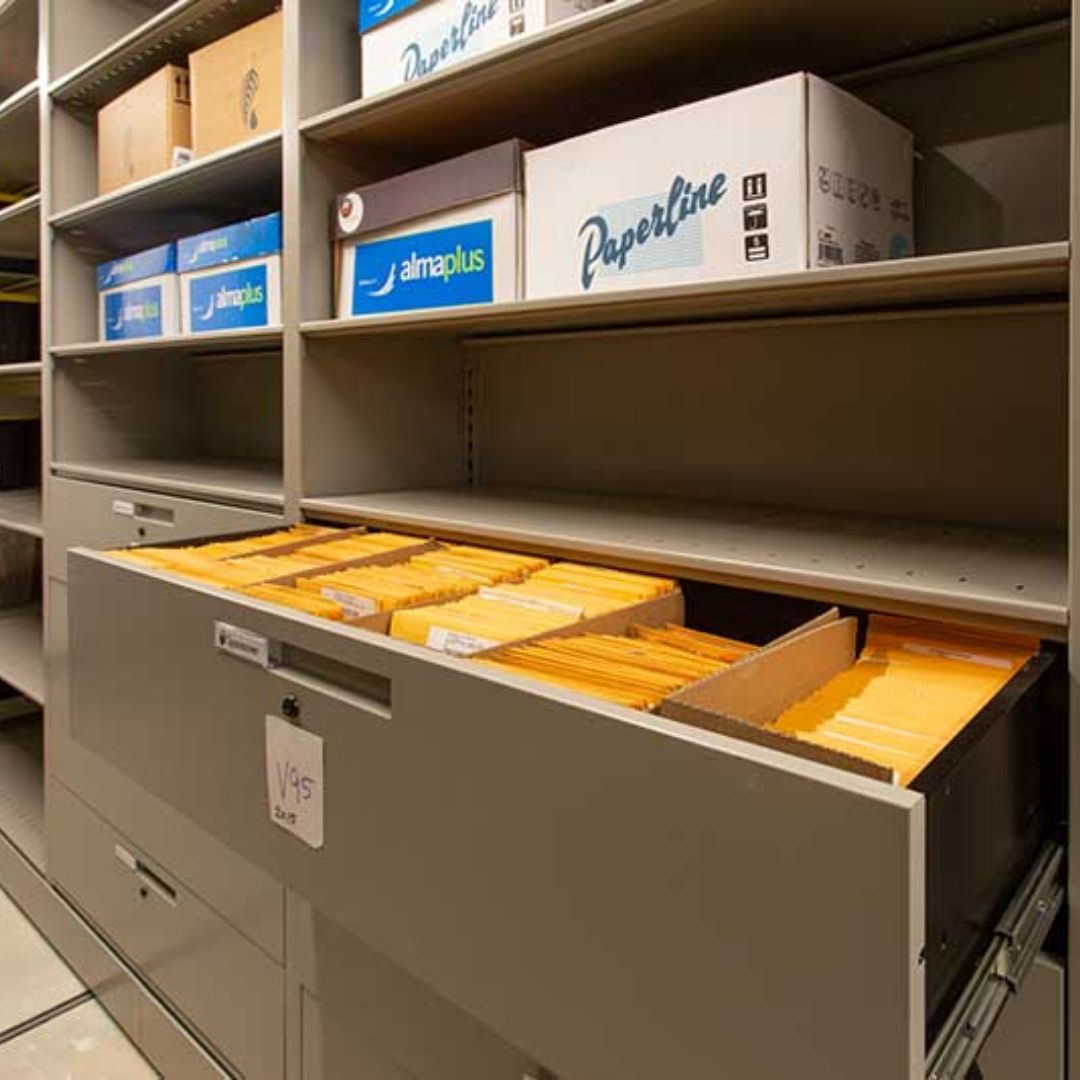
Drawer Files and Open Shelving: Files and archives can be stored in space efficient, easy-to-access cabinets or shelving.

Movable Storage: File storage options include rotary cabinets, slide-aside shelving and rolling carriage storage systems to maximize storage capacity in available floor space.

Electronic Storage: Storage systems are available with push-button access to move shelving left or right to open aisles, or, up or down in carousels for high density storage and easy access to needed files and archives.

Gain complete control of your physical documents, files and archives

Minimize wasted staff time waiting and looking for files.
Rapidly locate needed files with software and RFID technology.
Establish chain-of-custody when files are Issued and Returned.
Ensure accurate and total audits of files and archives.

Government

Federal, regional, state, local governments and quasi-government entities
Government Document Management

Central Banks, Banks, Credit Unions and Financial Institutions

Loan, client, account and other record-types managed by financial institutions.
Financial Document Tracking

Courts, Prosecutors, Solicitors and
District Attorneys

Case files for legal proceedings including criminal, civil, family, juvenile and Probate courts.
Court File Tracking

Attorneys and Law Firms

Client files, case files, clients-matters, exhibits and related files.

Corporations

Procurement, project, client, personnel, financial and other files.
Corporate File Management

Police, Sheriff and Corrections Departments

Incident, warrant, orders-of-protection and other document and file-types.
Police file tracking

Accounting and CPA Services

Client files, tax files and related client financial records.
Accounting and CPA Service

Health Care

Patient charts, medical records, x-rays, physician credentials, procurement, personnel, patient valuables, etc.
Healthcare Document Management

Insurance

Policies, claims, personnel, procurement and other records.
Insurance

Representatives Projects and Customers

Bank United Logo
Johns Hopkins Logo
Elanco Logo
Douglas County Logo
Arent fox Law Firm Logo
Deputy Shelpy County - Logo
logo
Department of State - logo
Department of Labor Logo
Republic of botswana logo

One Tracking Ecosystem. Infinite Possibilities.

By combining precision tracking with real-time location analytics, compliance assurance and integration with your other software platforms, Tracker IoT becomes the central command center for tracking your files, assets, warehouses, personnel, equipment and vehicles. 

Providing enhanced visibility, improved efficiencies and improved service.

Translate »
Scroll to Top