
Every organization that owns physical equipment eventually runs into the same problem: it does not actually know, with confidence, what it owns, where those things are, or who is responsible for them.
This isn’t a failure of effort. It’s a failure of method. Most organizations start out managing assets with spreadsheets, sticky notes, or memory. That approach works when an organization has a handful of assets in one building. It breaks down almost immediately once the organization grows — more equipment, more employees, more locations, more turnover.
The symptoms are familiar to almost every operations, IT, facilities, or warehouse manager:
- Lost and misplaced assets – Tools, laptops, medical devices, or machinery that organisations logged in a spreadsheet years ago but have not physically verified since.
- Inaccurate spreadsheets – Asset registers were accurate when created but have drifted further from reality with each passing month.
- Poor asset visibility – Nobody can answer “where is this right now?” without walking the floor or calling around.
- Duplicate purchases – Procurement teams buy new equipment because nobody can confirm existing equipment is available, in good condition, or even still owned.
- Underutilized assets – Expensive equipment sits idle in one department while another department rents or buys the same thing.
- Maintenance problems – No reliable trigger tied to actual asset location and usage causes teams to miss service intervals.
- Security concerns – Assets, especially high-value or regulated ones, move without authorization and without anyone noticing until an audit fails.
- Multi-location complexity – The moment an organization operates from more than one site, informal tracking methods collapse under their own weight.
Asset tracking exists to solve this problem systematically. It is not a single product or a single technology — It is the combination of process + identification + tracking technology + software + data working together to give an organization a continuously accurate picture of what it owns and what is happening to it.
This guide provides a comprehensive reference for anyone responsible for physical assets, including operations leaders, IT managers, facility managers, warehouse managers, security professionals, maintenance teams, procurement teams, and compliance staff. It covers what asset tracking is, how it works, which technologies exist, how to choose between them, how to implement a system, and how to measure whether it’s working.
What Is Asset Tracking?
Asset tracking is the practice of monitoring physical assets throughout their operational life using a unique identifier — such as a barcode, QR code, RFID tag, GPS unit, or BLE beacon – Combined with software that records and updates information about each asset over time.
At a functional level, asset tracking answers a consistent set of questions for any given asset, at any given time:
- Location – Where is this asset right now, and where has it been?
- Ownership – Who owns it, and who is currently responsible for it?
- Status – Is it in use, in storage, in transit, under repair, or retired?
- Condition – What state is it in, and has that changed?
- Movement – When did it move, from where, to where, and who moved it?
- Utilization – How much is it actually being used relative to its availability?
- Maintenance – What service has been performed, and what’s due next?
- Lifecycle stage – Where is it in its journey from acquisition to disposal?
The key distinction is between maintaining a list of assets and actively tracking them. A list is static — it reflects what someone recorded at some point in time, and it becomes less accurate the longer it goes unchecked. Tracking is dynamic — it captures changes in location, status, and condition as they happen (or close to when they happen), so the data stays representative of reality rather than a snapshot from months or years ago.
This is the core value proposition of any asset tracking system is converting a decaying, one-time record into a living, continuously verified source of truth.
What Is Asset Inventory Management?
Asset inventory management is the broader discipline of recording, organizing, and maintaining accurate data about every physical asset an organization owns – independent of whether that data is updated in real time or periodically.
An asset inventory management program typically includes:
- Asset register – The master list of every asset the organization owns, each with a unique identifier.
- Asset database – The structured system (spreadsheet, database, or software platform) where asset records live.
- Asset classification – Grouping assets into categories (IT equipment, machinery, vehicles, tools, furniture) so they can be managed consistently.
- Ownership records – Which department, employee, or cost center is accountable for each asset.
- Location data — Where each asset is assigned, whether that’s a fixed site or a mobile deployment.
- Condition tracking — The physical state of the asset and any degradation over time.
- Financial data – Purchase cost, depreciation, current book value, and disposal value.
- Maintenance records – Service history and scheduled maintenance.
- Lifecycle data – The stage the asset occupies, from procurement to disposal.
Asset Tracking vs Asset Inventory Management
These terms often seem interchangeable, but they describe different and complementary concepts.
Asset inventory management is about the record: what data exists about each asset, how it’s structured, and how complete and accurate it is. It’s the “what do we own” question.
Asset tracking is about the mechanism: how that record stays current, using identification technology and periodic or continuous scanning to confirm location and status. It’s the “where is it, and has anything changed” question.
In practice, a mature asset management program needs both. An accurate asset register without a tracking mechanism will decay over time as assets move, get reassigned, or go missing. A tracking mechanism without a well-structured asset inventory has no organized place to store or make sense of the data it collects. Asset Inventory Management and asset tracking should be treated as one integrated discipline, not two separate projects.
What Is an Asset Tracking System?
An asset tracking system is the complete technical architecture that identifies assets, captures their status and location, and turns that data into usable information. The typical architecture looks like this:
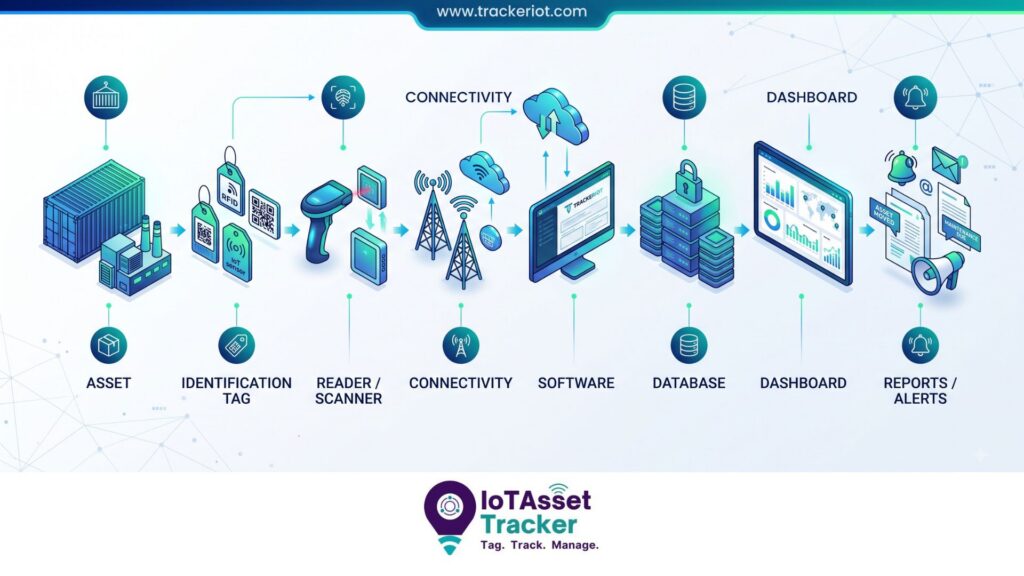
Asset → Identification Tag → Reader/Scanner → Connectivity → Software → Database → Dashboard → Reports/Alerts
Each component plays a distinct role:
- Asset – The physical item being tracked (equipment, tool, vehicle, device).
- Identification tag – The barcode label, QR code, RFID tag, GPS unit, or BLE beacon attached to (or embedded in) the asset. This is what gives the asset a unique, machine-readable identity.
- Reader/scanner – The device that captures the tag’s identity: a handheld barcode scanner, a smartphone camera, a fixed or handheld RFID reader, or a receiver that picks up a GPS/BLE signal.
- Connectivity – The pathway data travels from the reader to the software: Wi-Fi, cellular, Bluetooth, or a wired connection.
- Software – The Asset Tracking software platform that receives scan data, matches it to an asset record, and updates status, location, and history.
- Database – The underlying data store holding every asset record, every scan event, and every historical change.
- Dashboard – The interface where users view current asset status, search for specific assets, and monitor overall inventory health.
- Reports/alerts – The outputs that turn raw tracking data into decisions: missing asset reports, maintenance due alerts, unauthorized movement notifications, and utilization summaries.
The strength of an asset tracking system depends on how well these components fit the organization’s actual environment — asset volume, asset value, physical layout, and operational workflow. A system that uses the wrong identification technology or an overly complex software layer will face user resistance and fail, regardless of how sophisticated the underlying technology is.
What Types of Assets Can Be Tracked?
Asset tracking applies to almost any physical item with enough value, risk, or operational importance to justify monitoring. Common categories include:
- IT assets – Laptops, desktops, servers, monitors, networking equipment, mobile devices
- Industrial equipment – Production machinery, motors, pumps, compressors
- Tools – Hand tools, power tools, calibrated instruments
- Machinery – Heavy equipment, CNC machines, forklifts
- Medical equipment – Infusion pumps, ventilators, wheelchairs, diagnostic devices
- Warehouse equipment – Pallet jacks, racking systems, material handling equipment
- Vehicles – Fleet cars, trucks, trailers, specialty vehicles
- Furniture – Desks, chairs, workstations across office relocations
- Government assets – Office equipment, vehicles, specialized field equipment
- Defense and security equipment – Weapons, ammunition, tactical gear, surveillance equipment
- Construction equipment – Excavators, generators, scaffolding, power tools
- Mining equipment – Drilling equipment, haul trucks, personal protective equipment
- Educational assets – Laptops, AV equipment, lab and sports equipment across campuses
- High-value mobile assets – Anything that moves frequently and carries significant replacement cost or liability if lost
The common thread across all of these categories is that the asset has enough value – financial, operational, or safety-related — that not knowing its location or condition creates real business risk.
How Does Asset Tracking Work?
Asset tracking follows a repeatable process regardless of which technology underpins it:
- Identify the asset – Determine that this item needs to be tracked and classify it.
- Assign a unique ID – Give the asset a permanent identifier that will never be reused.
- Tag the asset – Physically attach a barcode label, QR code, or RFID tag, or install a GPS/BLE device.
- Register the asset – Create the digital record in the asset database, capturing category, cost, specifications, and other core data.
- Assign owner/location – Record who is responsible for the asset and where it’s deployed.
- Track movement – Capture scan events or location updates as the asset moves between locations, custodians, or statuses.
- Record maintenance – Log service events, repairs, and inspections against the asset’s history.
- Conduct inventory – Periodically verify that the digital record matches physical reality.
- Generate reports – Turn accumulated data into insight: utilization, compliance, missing assets, cost per asset.
- Retire/dispose of the asset – Formally close out the asset’s lifecycle, recording disposal method, date, and any recovered value.
Example: A hospital receives a new infusion pump. Biomedical engineering assigns it an asset ID and attaches an RFID tag before it enters service. The pump is registered in the asset tracking software with its manufacturer, model, and warranty details, then assigned to the ICU. As the pump moves between units over the following months, RFID readers at doorways log each transition automatically, updating its location in real time. When a nurse can’t locate a pump during a shift change, staff search the software instead of walking the floor. Maintenance staff receive an automatic alert when the pump’s preventive maintenance interval is due, regardless of which unit it’s currently in. When the pump reaches end of life, it’s formally retired in the system, closing out its full lifecycle record.
Asset Inventory Management Technologies
There is no single “best” asset tracking technology – the right choice depends on asset type, environment, required accuracy, budget, and how the organization operates. Below is a detailed look at each major approach.

Barcode Asset Tracking
How it works: A unique barcode is printed on a label and affixed to the asset. A barcode scanner (dedicated hardware or a smartphone camera) reads the code and matches it to the asset record in software.
Advantages: Very low cost per tag, simple to deploy, widely understood by staff, works with standard smartphones.
Limitations: Requires line of sight and typically one-at-a-time scanning; labels can be damaged, obscured, or removed; no automatic real-time location updates between scans.
Range/environment: Close range only – typically inches. Works indoors or outdoors as long as the label is visible and legible.
Best use cases: Organizations with moderate asset counts, predictable check-in/check-out workflows, and budget sensitivity.
Cost considerations: The lowest upfront cost of any tracking technology — labels cost cents, and many organizations can use existing smartphones as scanners.
When to consider it: When assets are scanned at defined checkpoints (issue, return, audit) rather than requiring continuous location awareness.
QR Code Asset Tracking
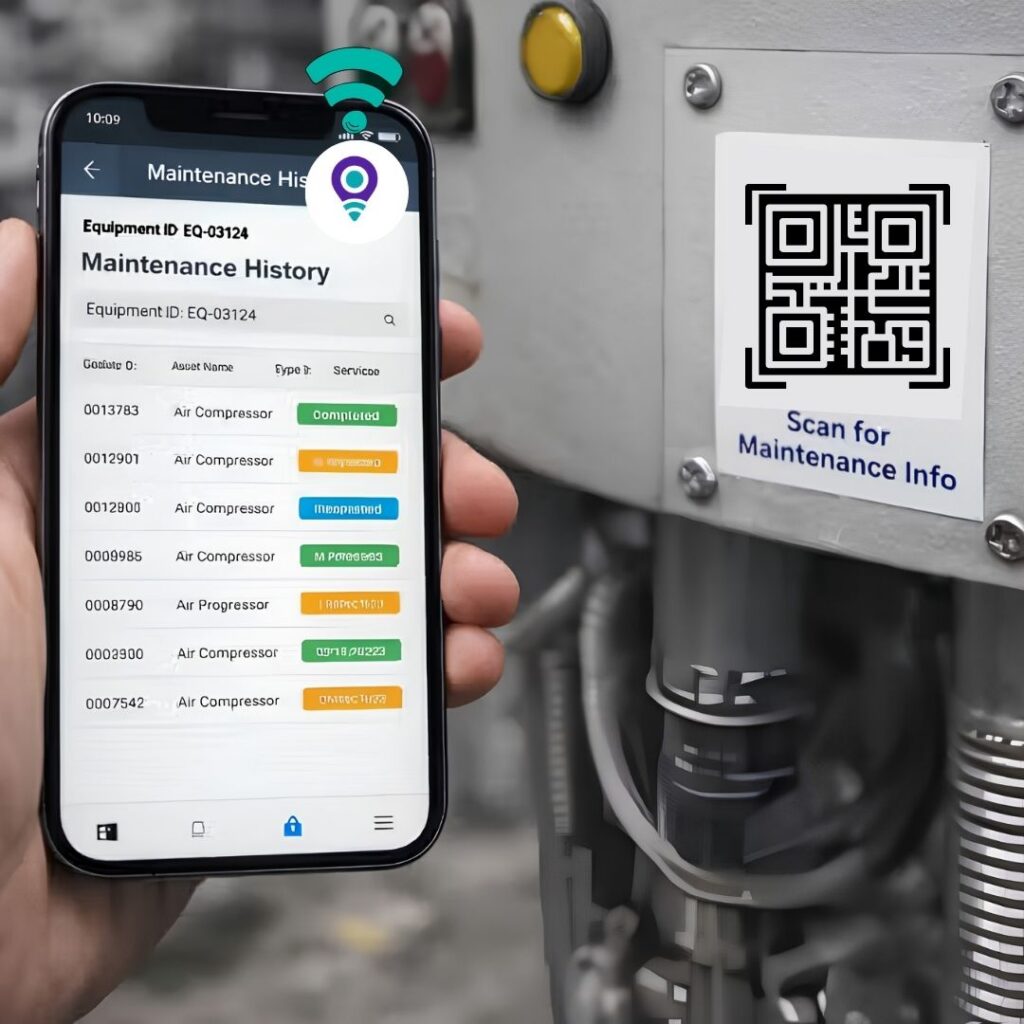
How it works: Functionally similar to barcode tracking, but QR codes can store more data and be scanned from a wider range of angles using any smartphone camera and a free app.
Advantages: No dedicated scanner hardware required, fast smartphone-based scanning, can encode more information or link directly to an asset’s digital record.
Limitations: Same line-of-sight and one-at-a-time constraints as barcodes; labels are still subject to physical wear.
Range/environment: Close range, indoor or outdoor.
Best use cases: Distributed workforces where employees use their own phones to check assets in and out, field service scenarios, self-service asset lookup. [INTERNAL LINK: QR Code Asset Tracking]
Cost considerations: Comparable to barcode — very low per-tag cost.
When to consider it: When ease of use for a non-technical or mobile workforce matters more than automation.
RFID Asset Tracking
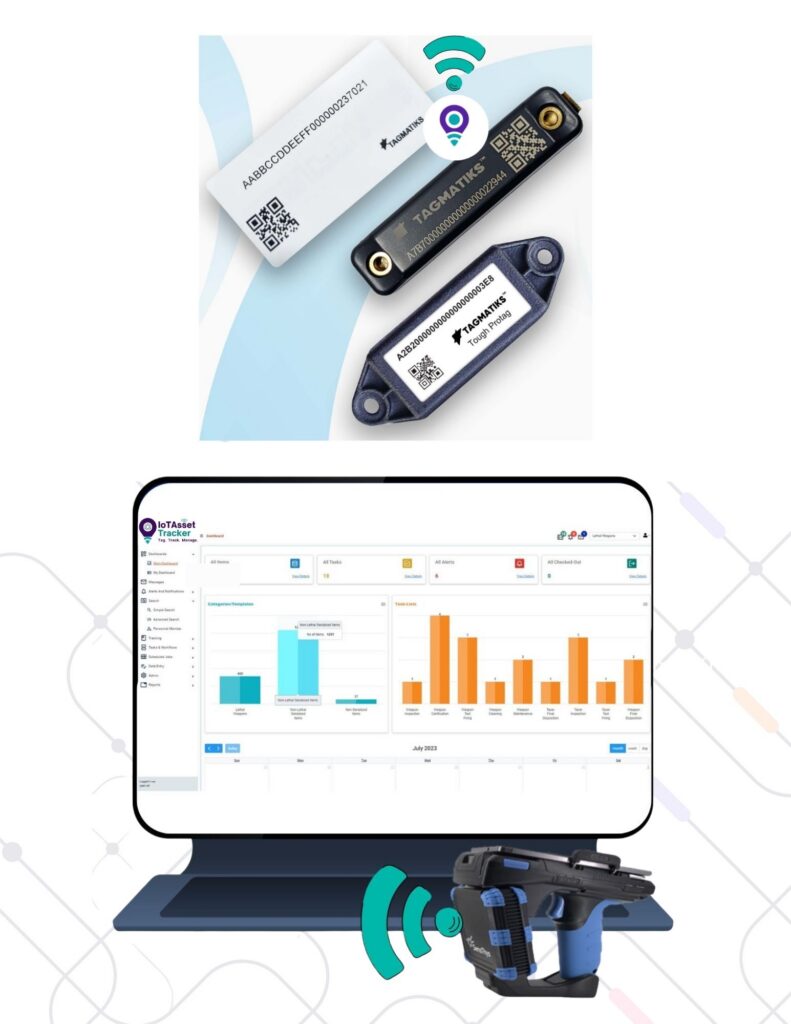
How it works: Each asset carries an RFID tag containing a unique identifier. RFID readers emit radio waves that power (in passive systems) or communicate with (in active systems) the tag, capturing its identity without requiring direct line of sight.
RFID exists in two primary forms:
- Passive RFID – Tags have no internal power source and are activated by the reader’s signal. They are inexpensive, small, and have a shorter read range (typically a few feet to around 20–30 feet depending on the reader and environment).
- Active RFID – Tags have their own battery and continuously broadcast a signal, allowing for longer read ranges (up to hundreds of feet) and, in some systems, real-time location capability. Active tags cost more and require periodic battery replacement.
Key components of an RFID deployment:
- RFID tags – Attached to or embedded in each asset.
- Handheld readers used for mobile scanning during audits or spot checks.
- Fixed readers mounted at doorways, dock doors, or checkpoints to automatically capture movement.
- RFID portals is used for larger fixed-reader installations designed to capture bulk movement, such as pallets passing through a warehouse door.
- Bulk scanning – RFID’s defining advantage: dozens or hundreds of tags can be read simultaneously without individually presenting each one to a scanner.
- No-line-of-sight identification – Tags can be read through non-metallic packaging, cartons, or from odd angles, unlike barcodes.
Advantages: Bulk and non-line-of-sight scanning, faster audits, automated movement capture at fixed checkpoints, durable tags available for harsh environments.
Limitations: Higher cost per tag than barcode/QR; performance can be affected by metal and liquid interference – metal can reflect or block RF signals, and liquids can absorb them, both of which reduce read range and reliability unless tags and reader placement are engineered around the issue; requires more planning for reader placement and RF environment tuning than barcode systems.
Range/environment: Passive: several feet to ~30 feet. Active: up to several hundred feet. Works well indoors; outdoor deployments need weatherproof hardware.
Best use cases: High-volume environments needing fast audits (warehouses, hospitals, tool cribs), asset accountability where line-of-sight scanning is impractical, checkpoint-based automatic movement logging.
Cost considerations: Mid-to-high depending on tag type (passive vs. active) and number of fixed readers deployed. Total cost is driven more by infrastructure (portals, fixed readers) than by tags themselves.
When to consider it: When bulk scanning speed, automated checkpoint capture, or asset accountability in high-volume environments is a priority.

BLE Asset Tracking
How it works: Bluetooth Low Energy beacons are attached to assets and communicate with fixed gateways or mobile devices, enabling room-level or zone-level location tracking indoors.
Advantages: Low power consumption (long battery life), good for continuous indoor location awareness, works well with smartphone-based receivers, lower infrastructure cost than a full RTLS buildout.
Limitations: Accuracy is typically zone-level rather than pinpoint; performance depends on gateway density and building layout; not designed for outdoor long-range tracking.
Range/environment: Tens of feet indoors; accuracy improves with denser gateway placement.
Best use cases: Indoor asset location for hospitals, offices, and warehouses where “which room/zone is this asset in” is sufficient.
Cost considerations: Mid-range – beacon cost is low, but achieving good accuracy requires investing in gateway density.
When to consider it: When continuous indoor location awareness is needed but full RTLS-level pinpoint accuracy isn’t necessary.

GPS Asset Tracking
How it works: A GPS-enabled device attached to the asset communicates its geographic coordinates, typically transmitted over a cellular network to tracking software.
Advantages: True outdoor, wide-area location tracking; works across cities, regions, or countries; ideal for mobile assets that leave a fixed site.
Limitations: Requires clear sky visibility (poor or no signal indoors, underground, or in dense structures); ongoing cellular connectivity cost; device battery life is a factor for non-powered assets.
Range/environment: Effectively unlimited range outdoors; not suitable for indoor tracking.
Best use cases: Vehicles, trailers, heavy equipment, shipping containers, and any asset that moves between sites or off-premises.
Cost considerations: Device cost plus ongoing cellular data/subscription fees — higher recurring cost than barcode or passive RFID.
When to consider it: When an organization needs to know where an asset is across a wide geographic area, not just within a building.

GSM/Cellular Asset Tracking
How it works: Similar to GPS tracking but relies on cellular network triangulation or is used as the communication backbone that carries GPS location data back to software.
Advantages: Enables remote assets to report location and status without Wi-Fi; supports two-way communication with tracking devices.
Limitations: Requires cellular coverage; recurring subscription costs; less precise than GPS when used for triangulation alone.
Best use cases: Mobile or remote assets operating outside of Wi-Fi range, often paired with GPS for combined accuracy and connectivity.

LoRaWAN Asset Tracking
How it works: Long Range Wide Area Network technology transmits small data packets over long distances using very little power, connecting asset tags to gateways that relay data to the cloud.
Advantages: Excellent battery life (often years), long range (kilometers in open environments), lower ongoing connectivity cost than cellular.
Limitations: Lower data throughput (fine for periodic location/status updates, not for rich data); requires deploying gateway infrastructure; less precise real-time accuracy than active RFID or BLE RTLS.
Best use cases: Large campuses, industrial sites, or outdoor yards tracking asset presence and periodic location without needing continuous real-time updates.
Wi-Fi Asset Tracking
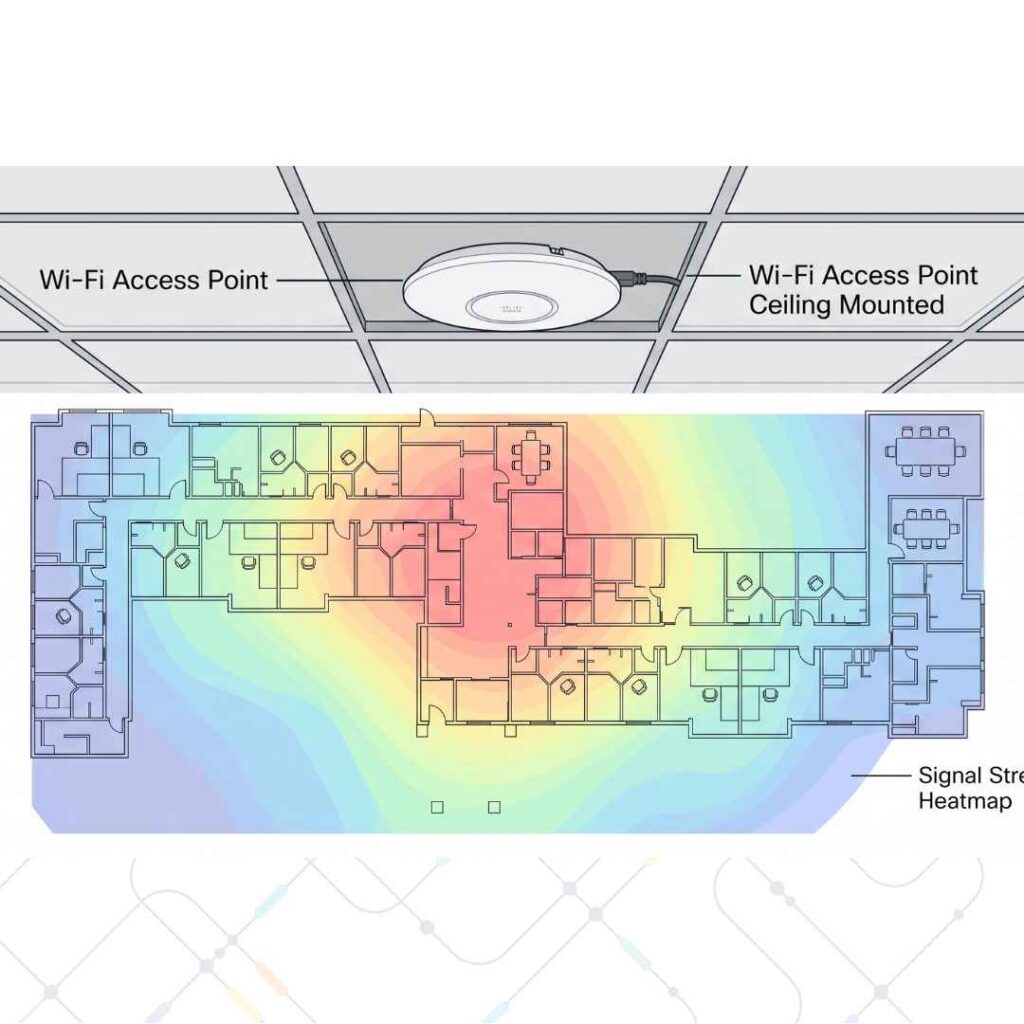
How it works: Assets carry Wi-Fi-enabled tags or the tracking system uses existing Wi-Fi access points to estimate asset location based on signal strength.
Advantages: Can leverage existing Wi-Fi infrastructure, reducing new hardware investment; reasonable indoor coverage in already-networked buildings.
Limitations: Location accuracy is generally coarser than BLE or RFID-based RTLS; higher power consumption for tags than BLE.
Best use cases: Organizations with dense, existing Wi-Fi coverage that want basic indoor location without deploying dedicated infrastructure.
IoT Asset Tracking
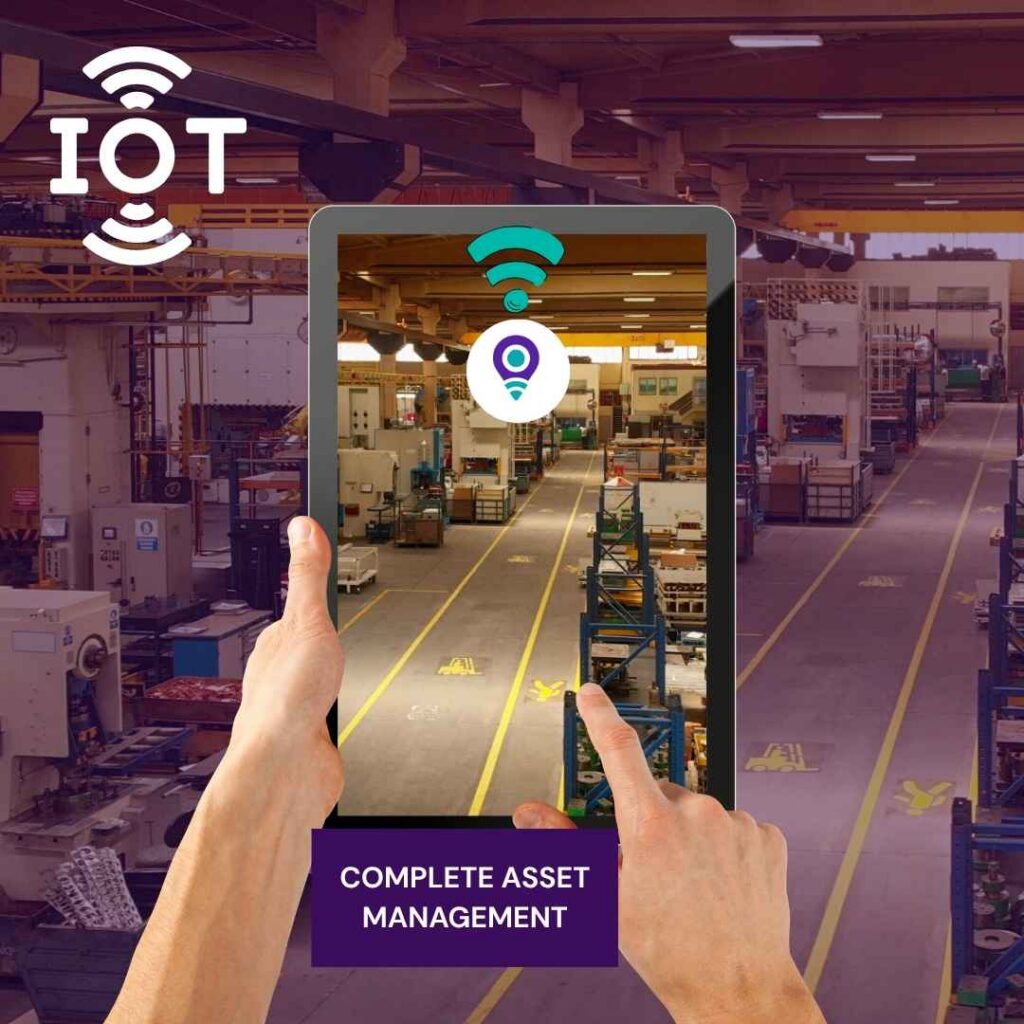
How it works: “IoT asset tracking” describes the broader category of connected sensor-equipped devices – combining identification (RFID/BLE/GPS) with sensors (temperature, humidity, shock, usage hours) and network connectivity to continuously report both location and condition data.
Advantages: Goes beyond location to capture asset health and usage patterns; supports predictive maintenance; enables automated alerts based on real conditions, not just position.
Limitations: More complex to deploy and integrate than single-purpose tracking; higher cost per device; requires a software platform capable of processing continuous sensor data.
Best use cases: High-value equipment where condition monitoring (not just location) materially affects maintenance, safety, or compliance outcomes.
When to consider it: When the business case includes not just “where is it” but “what condition is it in and how is it being used.”

RTLS (Real-Time Location Systems)
How it works: RTLS combines multiple readers or gateways (RFID, BLE, Wi-Fi, ultra-wideband) to triangulate an asset’s position continuously, often to within a few feet, rather than only capturing location at discrete checkpoints.
Advantages: The highest indoor location precision of the technologies covered here; continuous positioning rather than point-in-time scans; strong fit for environments where exact placement matters (operating rooms, high-security facilities).
Limitations: The most infrastructure-intensive and expensive option; requires careful site design and calibration; overkill for organizations that only need to know which building or room an asset is in.
Best use cases: Hospitals tracking mobile medical equipment room-by-room, high-security facilities, large distribution centers needing precise location of high-value goods.
When to consider it: When “which zone” isn’t precise enough and the organization needs near-exact indoor positioning, and the budget supports the infrastructure required.
RFID vs Barcode vs QR Code vs GPS vs BLE in asset tracking
| Factor | Barcode | QR Code | RFID | GPS | BLE |
|---|---|---|---|---|---|
| Identification | Visual, printed code | Visual, printed code | Radio frequency tag | Satellite positioning | Radio signal beacon |
| Range | Inches | Inches to a few feet | Feet (passive) to hundreds of feet (active) | Unlimited outdoors | Tens of feet indoors |
| Line of sight required | Yes | Yes | No | N/A | No |
| Bulk scanning | No | No | Yes | N/A | Limited |
| Real-time capability | No (point-in-time scans) | No (point-in-time scans) | Yes, with fixed readers | Yes | Yes, with gateways |
| Indoor suitability | Good | Good | Good | Poor | Good |
| Outdoor suitability | Good | Good | Fair (weatherproofing needed) | Excellent | Poor |
| Infrastructure needs | Minimal | Minimal | Readers, portals | Cellular connectivity | Gateways |
| Relative cost | Lowest | Lowest | Moderate to high | Moderate (plus subscription) | Moderate |
| Best use case | Checkpoint scanning, budget-sensitive tracking | Mobile/self-service scanning | Bulk audits, checkpoint automation | Wide-area mobile assets | Indoor zone-level tracking |
How to Select the Right Asset Tracking Technology
There is no universally correct choice – The right technology depends on the organization’s actual requirements:
- If assets rarely move and audits happen periodically, Barcode or QR code is often sufficient and far cheaper to deploy.
- If assets are numerous, move frequently through checkpoints, and audit speed matters, RFID typically delivers the best return through bulk scanning.
- If assets leave the premises and travel across a wide geographic area, GPS is the only technology on this list built for that use case.
- If assets stay indoors but need continuous, zone-level location awareness, BLE offers a strong middle ground between cost and capability.
- If assets need continuous condition monitoring in addition to location, IoT-based tracking is worth the added complexity.
- If indoor positioning needs to be precise to within a few feet, RTLS is the appropriate – if more expensive – option.
Many organizations end up using a combination of technologies: barcode or RFID for fixed-site assets, GPS for vehicles and mobile equipment, and BLE or RTLS for high-value indoor equipment that needs tighter monitoring. Schedule a call with our Consultant.
What Information Should an Asset Inventory Contain?
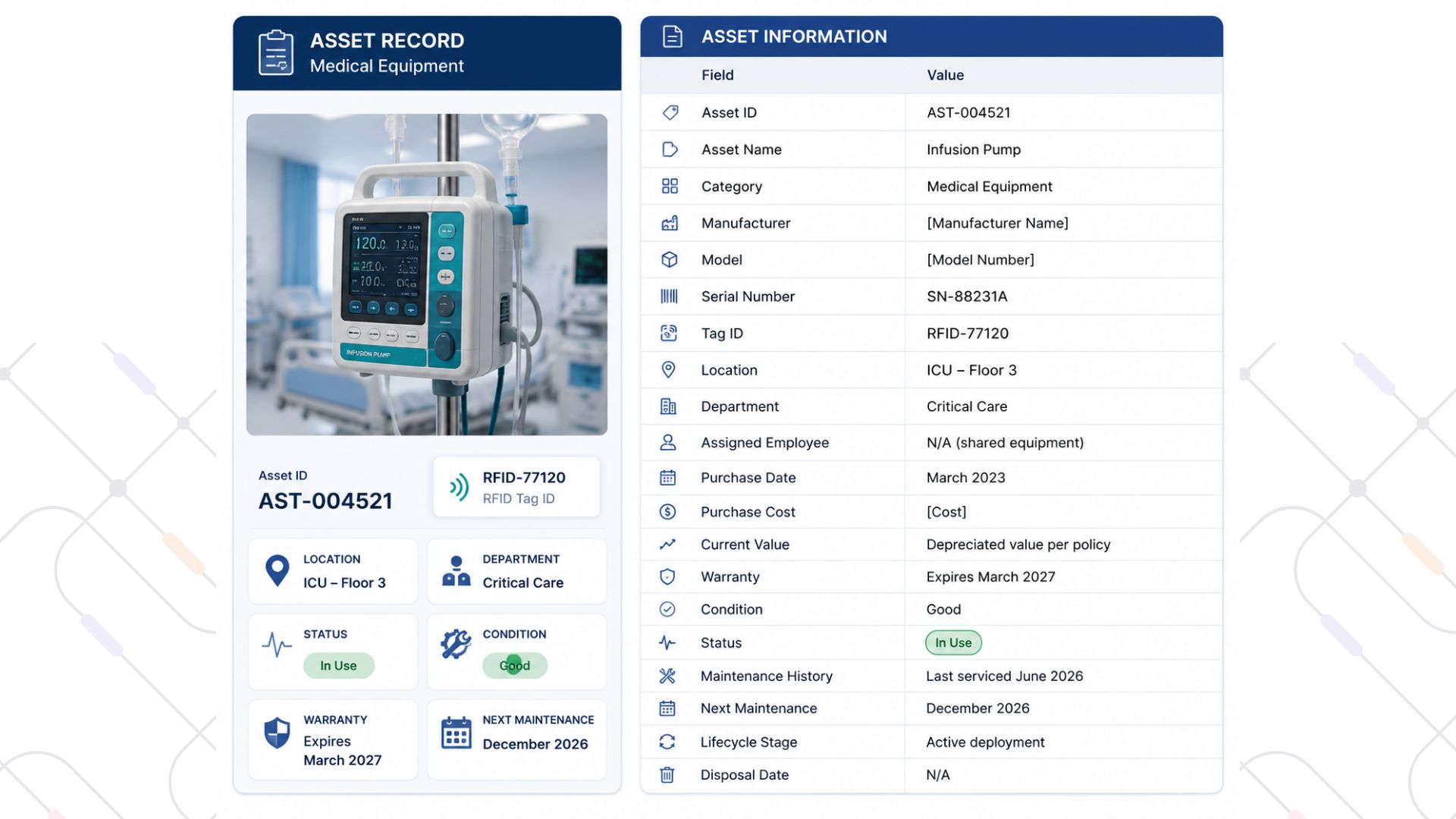
A well-structured asset record typically includes:
- Asset ID – unique, permanent identifier
- Asset name — descriptive name
- Category – classification (IT, machinery, tools, vehicles, etc.)
- Manufacturer
- Model
- Serial number
- Tag ID – the barcode/QR/RFID identifier linked to the asset
- Location – current site, building, or zone
- Department – owning department or cost center
- Assigned employee – current custodian, if applicable
- Purchase date
- Purchase cost
- Current value – after depreciation
- Warranty – coverage and expiration
- Condition – current physical/operational state
- Status – in use, in storage, under repair, retired
- Maintenance history – log of service events
- Next maintenance – scheduled service date
- Lifecycle stage – where the asset sits in its overall journey
- Disposal date – if retired
Example
Asset Lifecycle Management
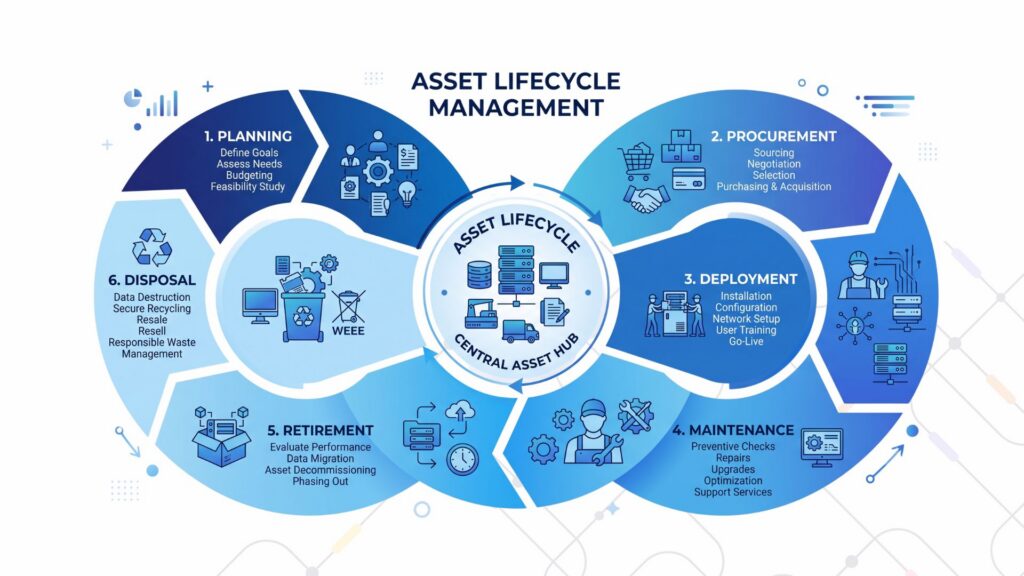
The Asset lifecycle management is the practice of managing an asset through every stage of its existence, from initial planning through final disposal:
- Planning – Determining what asset is needed and justifying the investment.
- Procurement – Purchasing the asset.
- Receiving – Confirming delivery and inspecting condition.
- Registration – Creating the digital asset record and applying an identification tag.
- Deployment – Putting the asset into active service.
- Assignment – Designating the responsible department, location, or employee.
- Movement – Tracking transfers between locations or custodians.
- Maintenance – Servicing the asset according to schedule or need.
- Audit – Periodically verifying the asset’s existence, location, and condition.
- Re-allocating the asset to a new department or use case as needs change.
- Retirement – Taking the asset out of active service.
- Disposal – Formally removing the asset from the register, recording method and any recovered value.
Asset tracking should continue across the entire lifecycle, not just during active deployment. Organizations often lose visibility at the edges of the lifecycle. Unregistered newly received assets and improperly retired assets often create “ghost assets,” which increase insurance costs, distort depreciation schedules, and cause audit failures.
Asset Inventory Audits: Best Practices
An asset audit is the process of physically verifying that the assets recorded in the register actually exist, are in the recorded location, and are in the recorded condition.
Audits typically surface several categories of discrepancy:
- Missing assets – Recorded in the system but not physically found.
- Duplicate records – The same physical asset entered more than once under different IDs.
- Ghost assets – Assets still on the books that no longer physically exist (lost, stolen, scrapped without formal disposal).
- Wrong locations – Assets physically present but recorded at a different site or department.
- Unassigned assets – Physical assets found with no matching record at all.
Manual Audits vs Technology-Assisted Audits
Manual audits – walking the floor with a printed list, checking off items by eye — are slow, labor-intensive, and prone to error, particularly in large facilities or high-turnover environments. They also tend to happen infrequently because of the effort involved, which allows discrepancies to accumulate for months or years between checks.
Barcode-assisted audits speed up verification by replacing manual list-checking with scan confirmation, but still require line-of-sight, one-at-a-time scanning.
RFID-assisted audits are typically the fastest option for high-volume environments: a handheld reader can capture dozens of tags in a single pass without individually presenting each item, dramatically reducing the time required to complete a full physical inventory. This makes more frequent audits practical, which in turn keeps the asset register closer to reality on an ongoing basis rather than only during an annual reconciliation.
Benefits of Asset Tracking
Each of the following benefits has a specific operational mechanism behind it — not just a general claim:
- Improved visibility – Because scans and location updates flow into a central system, staff can look up an asset’s location instead of physically searching for it.
- Reduced asset loss – Because assets have a specific custodian, location, and audit trail, organizations can detect and trace unauthorized removal or misplacement more easily.
- Better asset utilization – Usage and location data give departments a clear view of equipment. Teams can identify underused equipment in one area and reallocate it instead of leaving it idle while another department buys a duplicate.
- Reduced unnecessary purchases – Procurement can check actual availability and condition of existing assets before approving a new purchase.
- Faster audits – Bulk scanning (particularly RFID) replaces manual, item-by-item verification.
- Better maintenance – Service schedules use actual asset records instead of manual tickler files, reducing missed intervals.
- Reduced downtime – Because equipment failures tied to missed maintenance are less frequent, and replacement equipment can be located faster when something does fail.
- Improved accountability – Every asset has a named custodian and a movement history, responsibility is traceable rather than ambiguous.
- Better security – Unauthorized movement can trigger alerts rather than going unnoticed until the next audit.
- Better compliance – Regulated assets (medical devices, weapons, calibrated instruments) have a documented, auditable history that satisfies inspection and reporting requirements.
- Better financial control – Accurate asset records support correct depreciation, insurance valuation, and capital planning instead of relying on estimates.
Problems With Manual Asset Tracking
Spreadsheets, paper registers, and manual logs remain common — and for very small operations, they can be adequate. But they come with well-understood limitations as an organization grows:
- Human error – Manual data entry introduces typos, duplicate entries, and inconsistent naming conventions.
- Outdated data – Spreadsheets only reflect reality at the moment they were last updated, and updates depend on someone remembering to do it.
- No real-time visibility – There is no mechanism to know an asset moved until someone manually records it.
- Poor movement history – Spreadsheets rarely capture a full chronological record of where an asset has been.
- Difficult audits – Reconciling a spreadsheet against physical reality requires a fully manual walkthrough.
- Duplicate records – Without a scanning mechanism, the same asset can easily be entered more than once.
- Missing assets – Nothing flags an asset as missing until someone notices during an audit, which may be months later.
- Limited alerts – Spreadsheets don’t proactively notify anyone of maintenance due dates or unauthorized movement.
When spreadsheets may still be appropriate: For organizations with a very small number of low-value, low-risk, rarely-moved assets, a well-maintained spreadsheet can be a reasonable starting point. The point at which manual methods stop being viable is typically driven by asset count, asset value, number of locations, and how often assets change hands — not by an organization’s size in general.
Asset Tracking Software
Modern Asset Tracking software serves as the central nervous system of an asset tracking program. It typically provides:
- Centralized asset database — a single source of truth accessible across departments and locations.
- Asset dashboard — a real-time view of inventory status, counts, and alerts.
- Mobile scanning — smartphone or handheld-device scanning for barcode, QR, or RFID tags.
- RFID integration — support for fixed and handheld RFID readers.
- Location management — a structured hierarchy of sites, buildings, and zones.
- Asset assignment — linking assets to departments, employees, or cost centers.
- Check-in/check-out — workflows for temporarily issuing and returning assets.
- Movement history — a full chronological record of every location and custody change.
- Maintenance tracking — scheduling and logging service events.
- Alerts — automatic notifications for missing assets, overdue maintenance, or unauthorized movement.
- Audit tools — streamlined workflows for conducting and reconciling physical inventories.
- Reporting — pre-built and custom reports across every dimension of the asset register.
- User permissions — role-based access controls limiting who can view or edit specific data.
- API integration — connectivity with ERP, CMMS, procurement, and finance systems.
Real-Time Asset Tracking
“Real-time” is one of the most loosely used terms in this space, so it’s worth being precise about what it actually means in practice.
- Periodic inventory – assets are checked at scheduled intervals (monthly, quarterly, annually). Between checks, the system has no visibility into movement.
- Event-based tracking – location updates occur only when a defined event happens, such as a scan at a checkpoint or a check-out transaction. This is common with barcode and QR systems.
- Near-real-time tracking – updates happen frequently (seconds to minutes) but aren’t continuous, often the case with GPS devices reporting on an interval to conserve battery and data usage.
- Continuous real-time tracking – location is updated essentially continuously, typical of active RFID RTLS or GPS systems configured for frequent reporting.
Which approach fits which scenario:
- Low-value, rarely-moved assets are usually well served by periodic inventory.
- Assets that move through defined checkpoints (issue/return, dock doors) are well served by event-based tracking.
- Vehicles and field equipment that need reasonably current location without excessive battery/data cost often use near-real-time tracking.
- High-value, high-risk, or safety-critical assets – where knowing the exact current location matters continuously – justify the added cost of continuous real-time tracking.
Asset Tracking Across Multiple Locations
Enterprises operating from more than one site need a consistent location hierarchy to keep data usable:
Site → Building → Floor → Room → Zone → Asset
This hierarchy allows an organization to answer location questions at whatever level of precision is needed – from “which facility is this asset at” down to “which specific zone within a floor.”
Multi-location tracking becomes important for:
- Multiple offices – consistent asset visibility across corporate locations.
- Factories – tracking equipment across production lines and buildings.
- Warehouses – locating inventory-adjacent equipment across large floor plans.
- Branches – retail, banking, or service branches needing centralized oversight.
- Remote facilities – sites with limited on-site administrative staff, where centralized visibility substitutes for local record-keeping.
The objective is centralized asset visibility – a single system where headquarters, regional managers, and site staff all see the same accurate data, rather than each location maintaining its own disconnected spreadsheet.
Asset Tracking Across Industries
Manufacturing
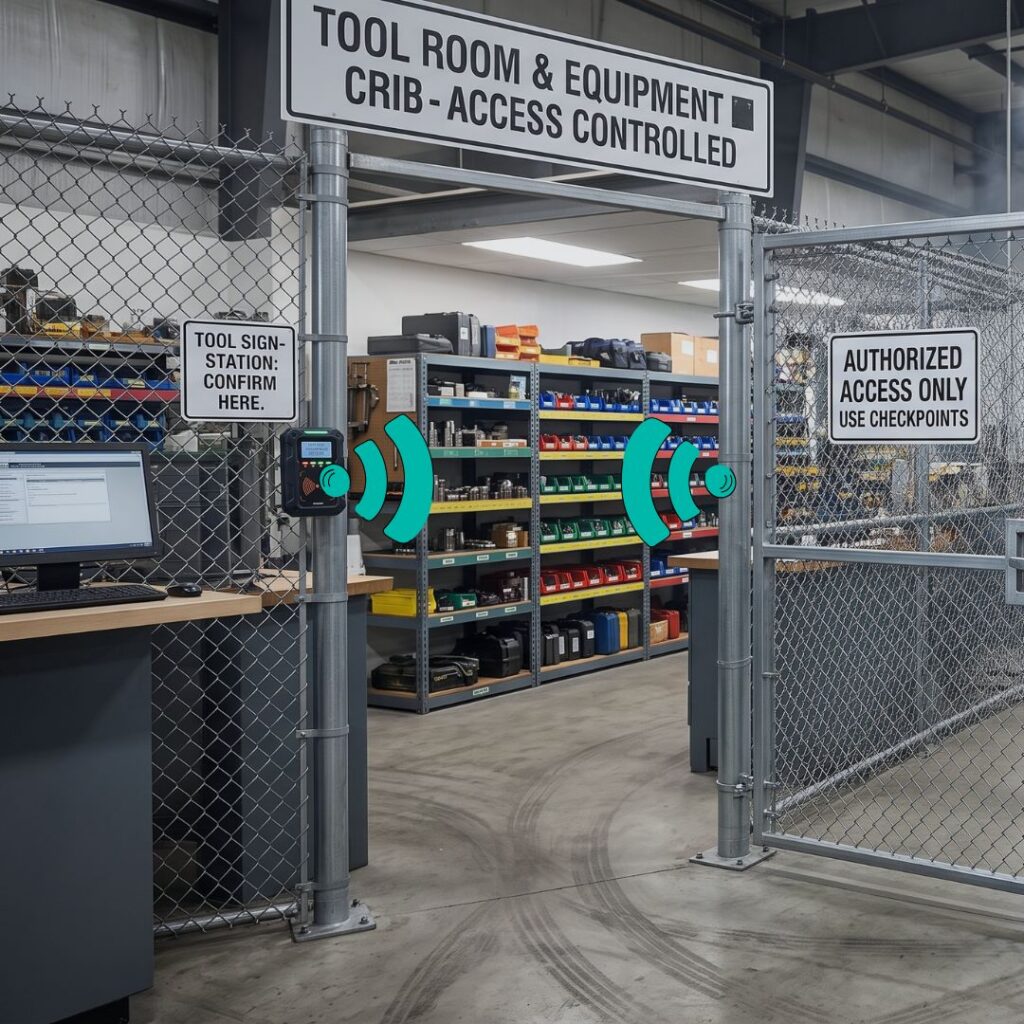
Problem: Tools and equipment shared across production lines go missing or cause line stoppages while workers search for them.
Asset type: Tools, machinery, molds, fixtures.
Tracking requirement: Fast identification, durable tags for harsh environments.
Suitable technology: RFID, barcode.
Business outcome: Reduced downtime searching for equipment, better tool accountability.

Healthcare Asset Tracking
Problem: Mobile medical equipment is shared across units and frequently can’t be located when needed.
Asset type: Infusion pumps, wheelchairs, monitors, diagnostic devices.
Tracking requirement: Indoor location, hygiene-compatible tags, compliance documentation.
Suitable technology: RFID, BLE, RTLS.
Business outcome: Faster equipment location, better utilization, stronger regulatory compliance from Healthcare Asset Tracking technology.

Government
Problem: Mobile medical equipment is shared across units and frequently can’t be located when needed.
Asset type: Infusion pumps, wheelchairs, monitors, diagnostic devices.
Tracking requirement: Indoor location, hygiene-compatible tags, compliance documentation.
Suitable technology: RFID, BLE, RTLS.
Business outcome: Faster equipment location, better utilization, stronger regulatory compliance.
Banking and Financial Services
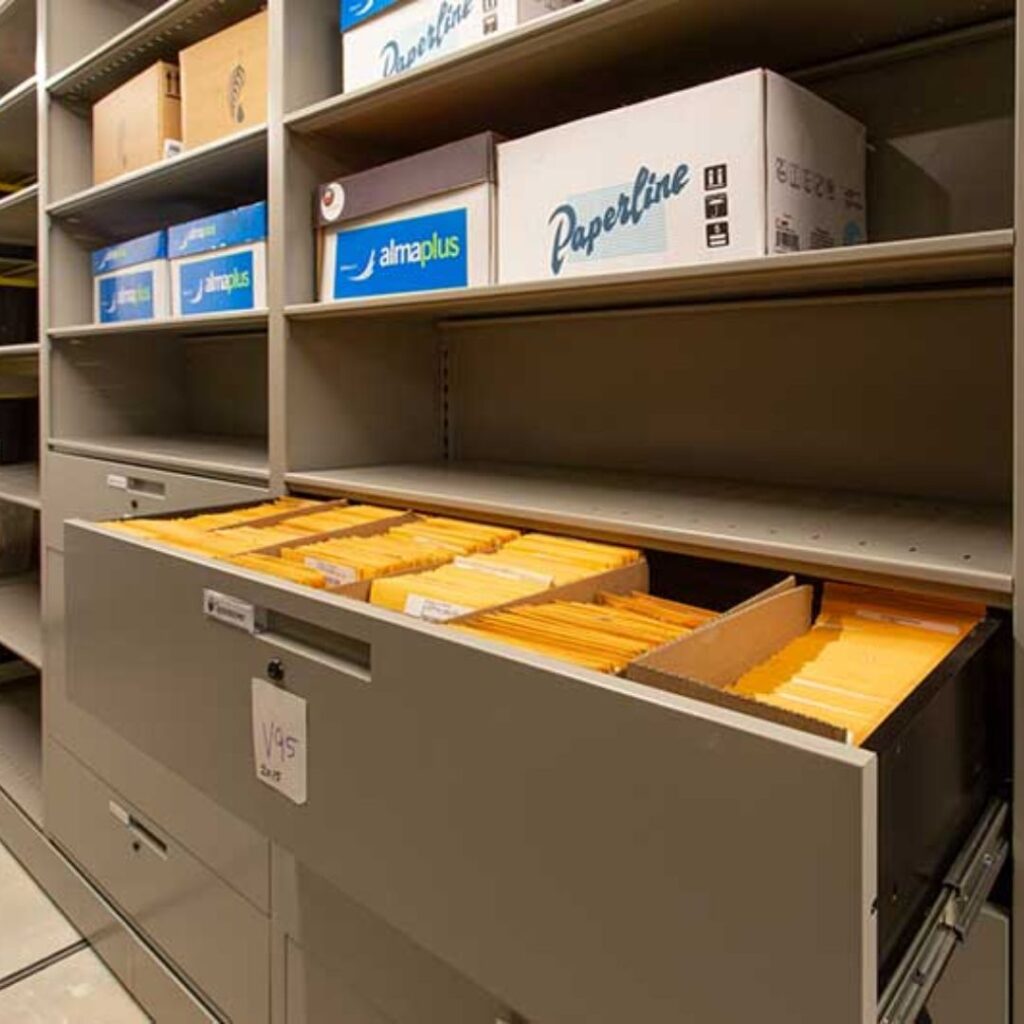
Problem: Branch networks hold significant IT and security equipment across many small sites.
Asset type: IT equipment, security hardware, branch furniture.
Tracking requirement: Centralized multi-branch visibility.
Suitable technology: Barcode, RFID.
Business outcome: Consistent branch-level accountability, easier compliance reporting.

Education
Problem: Laptops, AV equipment, and lab equipment circulate among students, staff, and departments and are prone to loss.
Asset type: Laptops, tablets, lab instruments, AV equipment.
Tracking requirement: Check-in/check-out for shared equipment.
Suitable technology: Barcode, QR code, RFID.
Business outcome: Reduced loss, clear accountability for issued equipment.

Warehousing and Logistics
Problem: Material handling equipment and returnable assets (pallets, containers) are difficult to locate across large facilities.
Asset type: Forklifts, pallet jacks, racking, containers.
Tracking requirement: Bulk scanning, checkpoint automation.
Suitable technology: RFID, GPS for yard/trailer tracking.
Business outcome: Faster audits, reduced equipment search time, better throughput from warehouse asset tracking.

Construction Asset Tracking
Problem: Tools and equipment move between job sites and are vulnerable to theft.
Asset type: Power tools, generators, scaffolding.
Tracking requirement: Rugged tags, mobile check-out at job sites.
Suitable technology: RFID, GPS for larger equipment.
Business outcome: Reduced theft, better tool accountability across crews.
Mining Asset Tracking
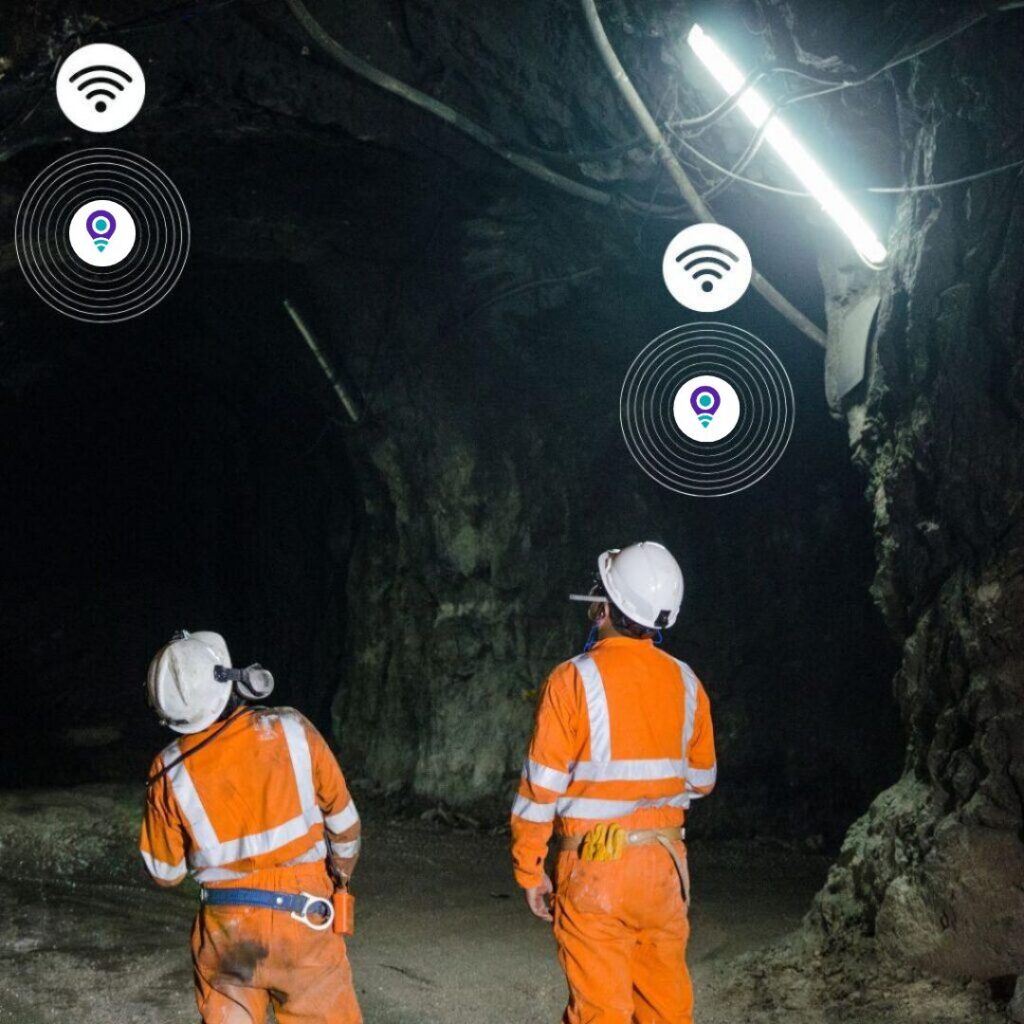
Problem: Equipment and personnel operate across large, often remote or underground sites with limited connectivity.
Asset type: Drilling equipment, haul trucks, PPE.
Tracking requirement: Rugged, long-range tracking; personnel mustering, mining asset tracking.
Suitable technology: Active RFID, GPS, LoRaWAN. Business outcome: Improved safety accountability, better fleet utilization.

Oil and Gas
Problem: High-value equipment is deployed across remote and often hazardous sites.
Asset type: Drilling equipment, safety equipment, vehicles.
Tracking requirement: Rugged tags, wide-area tracking. Suitable technology: GPS, active RFID.
Business outcome: Better equipment accountability across dispersed sites, improved safety compliance.
Defence and Police Asset Tracking
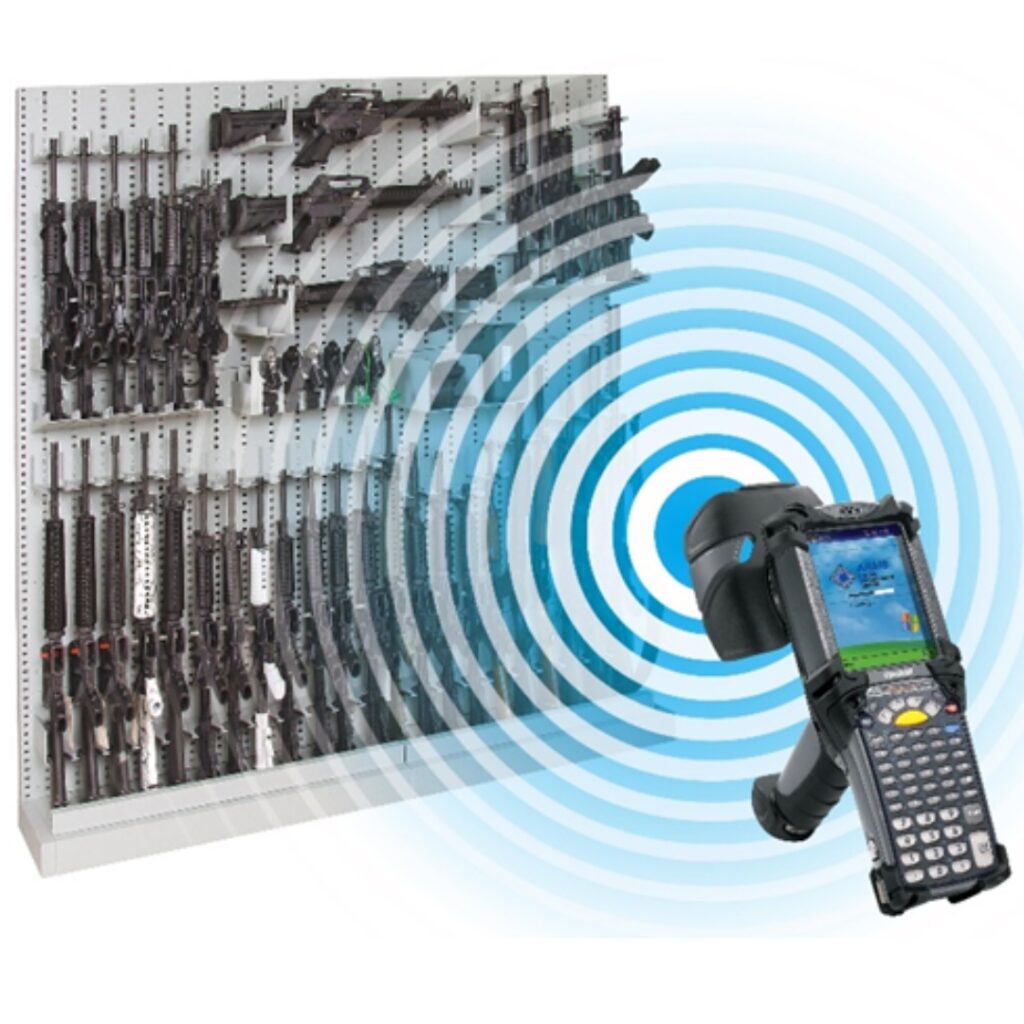
Problem: Weapons, evidence, and tactical equipment require strict chain-of-custody documentation.
Asset type: Weapons, ammunition, evidence, tactical gear.
Tracking requirement: High-security tagging, full audit trails, access control integration.
Suitable technology: RFID.
Business outcome: Verified chain of custody, faster inventory checks, stronger compliance posture.

Corporate Office Asset Tracking
Problem: IT equipment and furniture are difficult to track through onboarding, relocations, and offboarding.
Asset type: Laptops, monitors, furniture.
Tracking requirement: Employee assignment tracking, check-in/check-out at offboarding.
Suitable technology: Barcode, QR code.
Business outcome: Reduced IT equipment loss, cleaner offboarding process.
How to Implement an Asset Tracking System
- Define objectives – clarify what problem the system needs to solve (loss prevention, audit speed, compliance, utilization).
- Identify asset categories – determine which asset types will be tracked and at what value threshold.
- Build the asset register – compile an accurate baseline list of existing assets.
- Define locations – establish the site/building/floor/zone hierarchy.
- Select tracking technology – choose barcode, QR, RFID, GPS, BLE, or a combination based on the requirements outlined in Section 8.
- Select tags – choose tag types suited to the asset material, environment, and required range.
- Select software – choose a platform that supports the chosen technology, integrates with existing systems, and fits the organization’s workflow.
- Tag assets – physically apply tags across the asset base.
- Conduct a baseline inventory – verify every tagged asset against the register before going live.
- Configure workflows – set up check-in/check-out, maintenance schedules, and alert rules.
- Train users – ensure staff understand how to scan, check assets in/out, and interpret alerts.
- Launch – move the organization onto the live system.
- Audit – conduct a follow-up audit shortly after launch to catch early data quality issues.
- Optimize – refine reader placement, workflows, and reporting based on real-world usage.
Each stage exists to prevent a specific failure mode: skipping the baseline inventory, for example, means the system launches with inherited inaccuracies; skipping training leads to poor user adoption and inconsistent data entry, which undermines the entire program regardless of how good the technology is.
How to Choose an Asset Tracking System
Use this framework to evaluate options against actual organizational requirements:
- Asset volume – How many assets do you need to track, and how quickly is that number growing?
- Asset value – does the average asset value justify a higher-cost tracking technology?
- Number of locations – single site or multi-site, and how dispersed geographically?
- Indoor/outdoor environment – does tracking need to work outdoors, underground, or in areas with poor connectivity?
- Required accuracy – is “which building” sufficient, or is “which shelf” required?
- Tracking frequency – periodic checks or continuous monitoring?
- Mobility – do assets move frequently between sites, departments, or custodians?
- RFID requirements – is bulk/no-line-of-sight scanning necessary for audit speed?
- GPS requirements – do assets leave the premises?
- BLE requirements – is continuous indoor zone tracking needed?
- Software requirements – what workflows (check-in/out, maintenance, audits) need to be supported?
- ERP/CMMS integration – does the system need to connect with existing finance or maintenance platforms?
- Reporting – what decisions need to be supported by report output?
- Security – what access control and audit trail requirements apply, particularly for regulated assets?
- Scalability – will the system still work as asset count and locations grow?
- Budget – What total cost can the organisation realistically commit to, including ongoing expenses rather than just upfront hardware costs?
Asset Tracking System Cost
There is no single accurate industry-wide price for an asset tracking system – cost depends entirely on scale, technology choice, and complexity. Instead, it’s more useful to understand the cost components:
- Tags – Barcode and QR labels offer the lowest cost, while passive RFID tags cost more. Active RFID and GPS devices cost significantly more, especially when they include built-in batteries or cellular modules.
- Readers – handheld scanners and RFID readers represent a per-unit hardware cost.
- Handheld scanners – needed for mobile audit and check-in/check-out workflows.
- RFID portals – fixed installations at doorways or dock doors represent one of the larger infrastructure investments in an RFID deployment.
- GPS devices – unit cost plus ongoing cellular subscription fees.
- Software – typically licensed per user, per asset, or as a flat platform fee, depending on the vendor.
- Installation – labor for mounting fixed readers, running cabling, and configuring network access.
- Integration – cost of connecting the tracking system to ERP, CMMS, or finance platforms.
- Training – time and materials for onboarding staff.
- Maintenance – ongoing support for hardware and software, including battery replacement for active tags.
- Connectivity – cellular, Wi-Fi, or network costs required to keep readers and devices online.
Total Cost of Ownership
Organizations should evaluate Total Cost of Ownership (TCO) rather than upfront hardware cost alone. TCO includes the initial tagging and infrastructure investment, ongoing software subscription or licensing, connectivity fees, maintenance and battery replacement, and the labor cost of running audits and managing the system over its useful life.
Evaluating ROI
Assess ROI based on the specific problems the system aims to solve: reducing duplicate purchases, preventing asset loss, speeding up audits, reducing downtime caused by missed maintenance, and improving the use of existing equipment. Organizations should compare the ongoing cost of the tracking system against the measurable cost of the current manual process – including labor hours spent searching for assets, the cost of assets that go missing each year, and the cost of unnecessary purchases made because existing equipment couldn’t be located or verified.
Asset Tracking Security
Security is a core function of asset tracking, not an add-on:
- Unauthorized movement – fixed readers or geofencing can flag when a regulated or high-value asset leaves a designated zone without an authorized check-out event.
- Theft – A documented movement history and real-time alerts help security teams detect theft quickly and recover stolen assets.
- Tampering – Tamper-evident tags can show whether someone has removed or altered a tag.
- Access control – integrating asset tracking with door or gate access systems can restrict who is able to remove certain assets from a facility.
- User permissions – role-based access ensures only authorized staff can edit asset records, approve disposals, or override alerts.
- Audit trails – Every scan, movement, and edit must be permanently logged and linked to the specific user who made it.
- Alerts – real-time notifications reduce the time between an incident occurring and someone being aware of it.
- Data security – Organizations, particularly those in defense, law enforcement, and healthcare, should protect asset data with appropriate access controls and encryption in line with their broader data security policies.
Asset Tracking KPIs
- Asset accuracy rate – percentage of assets found in their recorded location during an audit. Calculated as (assets verified correctly ÷ total assets audited) × 100.
- Asset utilization – how much an asset is actually used relative to its total availability.
- Missing asset rate – percentage of assets that cannot be located during an audit cycle.
- Audit completion – percentage of scheduled audits completed on time.
- Search time – average time staff spend locating a needed asset; a key indicator of visibility quality.
- Downtime – time equipment is unavailable due to loss, damage, or missed maintenance.
- Maintenance compliance – percentage of scheduled maintenance completed on time.
- Unauthorized movement – frequency of assets leaving designated zones without authorization.
- Recovery rate – percentage of “missing” assets ultimately located and recovered.
- Cost per tracked asset – total tracking system cost divided by number of assets tracked, useful for evaluating program efficiency over time.
Organizations should track these KPIs consistently over time rather than as one-off measurements – the value comes from trend direction (is asset accuracy improving?) rather than any single snapshot.
Conclusion
Asset tracking is not simply knowing where an asset is at a single moment in time. It is the ongoing discipline of maintaining a continuously updated source of truth about what an organization owns, where it is, who is responsible for it, what condition it’s in, how it moves, and what happens to it across its entire lifecycle.
Getting this right requires more than buying tags and software. It requires choosing the right identification technology for the actual environment, structuring data consistently, building workflows that staff will actually follow, and treating audits and reporting as an ongoing habit rather than an annual scramble.
Organizations that get asset tracking right don’t just avoid losing equipment – they make better purchasing decisions, run leaner audits, keep maintenance on schedule, and can demonstrate accountability when it matters most, whether that’s a compliance inspection, an insurance claim, or a budget review.
If your organization is evaluating how to bring this level of visibility to its physical assets – whether that means RFID-based tracking for high-volume environments, GPS for mobile fleets, or a combined approach across multiple technologies – TrackingSolutionsIoT and AssetTrackerIoT work with organizations across manufacturing, healthcare, government, logistics, and defense to design tracking systems that match their actual operational requirements, not a one-size-fits-all template.

About the Author
Eric Collins has been designing and implementing filing systems along with records management solutions since 1984. Primary file management consultant for 1,000’s of file management systems implemented globally. Extensive experience in local, state and federal governments, police and military, and many commercial industries and applications.
Twice certified by the prestigious Institute of Certified Records Managers (www.icrm.org). Holder of U.S. patent for ‘novel records management solution’. Inventor of the file management industry’s first Internet file and archive label printing system, released in 1998, and which gained #1 global market share for file labelling solutions. Currently founder and CEO of TrackerIoT, a leading global tracking system vendor specializing in file management solutions.
Email: eric@trackeriot.com or
Phone: +1 941.375.9437.