
Every day, organizations across the world lose an average of one document every 12 seconds. Files get misfiled. Archives go missing. Critical records walk out of buildings without authorization. And when audit season arrives, the scramble begins.
For industries like healthcare, legal, government, finance, and insurance — where physical file management is not optional but mandatory — the stakes are even higher. A misplaced patient record isn’t just an inconvenience; it’s a compliance violation. A missing legal file doesn’t just slow things down; it can derail an entire case.
The traditional answer – more staff, more filing cabinets, more manual checklists. This simply doesn’t scale anymore.
IoTFileTracker is the answer the modern workplace has been waiting for.
Combining the precision of Radio Frequency Identification (RFID) technology with intelligent, cloud-capable file tracking software, IoTFileTracker delivers something that manual systems never could: complete, real-time visibility over every physical record in your organization — automatically, accurately, and around the clock.
In this comprehensive guide, we’ll walk you through everything you need to know about IoTFileTracker — how it works, what makes it different, the specific technologies behind it, and why it’s rapidly becoming the gold standard in RFID-based physical records management.
What Is RFID File Tracking Software?
RFID file tracking software is a records management solution that uses Radio Frequency Identification technology to automatically monitor, locate, and manage the movement of physical files, folders, documents, and archives across a facility.
Unlike traditional paper logs or barcode systems — which require manual intervention, line-of-sight scanning, and constant human oversight — RFID file tracking software operates passively and automatically. RFID tags attached to physical files communicate with antennas and readers placed throughout a building, continuously transmitting location data to a central software platform without anyone needing to physically touch or scan each file.
The result is a living, breathing database that always knows:
- Where every file is located at any given moment
- Who last accessed a particular record
- When a file entered or exited a room, floor, or building
- Whether a file is authorized to leave the premises
- When the last full inventory was completed and what it found
This level of visibility was simply impossible with manual systems. RFID file tracking software like IoTFileTracker makes it the new standard.

The Problem With Traditional Record Management
Before understanding why IoTFileTracker is so transformative, it’s worth examining exactly what’s broken about conventional record management systems.
The Scale of the Problem
Studies on enterprise document management consistently reveal alarming statistics:
- Employees spend an average of 30–40% of their time searching for information stored in filing systems
- Organizations collectively waste billions of hours annually on document retrieval tasks
- 7.5% of all physical documents are lost or misfiled at any given time
- Replacing a single lost document costs an average of $125 in staff time
- A misfiled document that requires recreation can cost upward of $350
Why Manual Systems Fail
No Real-Time Visibility With manual systems, nobody knows where a file is until someone physically searches for it. If a colleague took it to a different floor three days ago and forgot to log it, it’s effectively invisible until found by chance.
Human Error Is Inevitable Even the most diligent records management staff make mistakes. Files get placed in wrong folders, check-out logs are skipped during busy periods, and handwritten location entries are misread or illegible.
Off-Hours Vulnerability Manual systems offer zero protection or visibility when records staff aren’t present. Files can move freely during evenings, weekends, and holidays with no tracking whatsoever.
Audit Nightmares When compliance audits arrive, organizations using manual systems face days or weeks of manual reconciliation — cross-referencing paper logs, hunting for files, and reconstructing incomplete histories.
Scalability Barriers As record volumes grow, manual systems require proportionally more staff, more space, and more administrative overhead. They simply don’t scale efficiently.
IoTFileTracker was built specifically to solve every one of these problems — permanently.
What Is IoTFileTracker?
IoTFileTracker is an enterprise-grade RFID file tracking software platform that provides organizations with complete, automated oversight of their physical records ecosystem. It is designed to work seamlessly across facilities of all sizes — from a single-floor office managing a few thousand files to a multi-building government complex handling millions of records.
At its core, IoTFileTracker is built around three foundational principles:
Automation First
Every tracking action — check-in, check-out, location update, inventory count, security alert — happens automatically. Staff don’t need to remember to log anything. The system does it for them.
Real-Time Intelligence
IoTFileTracker doesn’t show you where a file was yesterday. It shows you where it is right now. RFID antennas continuously communicate with tagged files and push live updates to the software dashboard instantly.
Scalable Architecture
Whether you’re managing 5,000 files or 5 million, IoTFileTracker’s architecture scales with your needs. Adding new files, new locations, new users, or new tracking zones requires no system overhaul — just configuration.
IoTFileTracker supports both RFID-only and hybrid RFID-barcode deployments, giving organizations the flexibility to work with existing barcode infrastructure while gaining all the advantages of RFID technology on top.
Core Technology: How RFID Powers IoTFileTracker
Understanding the technology behind IoTFileTracker helps explain why it’s so dramatically more effective than any previous approach to physical records management.
What Is RFID?
Radio Frequency Identification (RFID) is a wireless technology that uses electromagnetic fields to automatically identify and track tags attached to objects. An RFID system consists of three core components:
RFID File Tracking Tags Small electronic labels containing a microchip and antenna. When attached to a file or folder, the tag stores a unique identifier that the system uses to look up all associated metadata in the database. RFID tags used in file tracking are typically passive — meaning they draw power from the reader’s electromagnetic field rather than requiring their own battery — making them extremely durable, low-maintenance, and long-lasting.
RFID Readers and Antennas Hardware devices that emit radio frequency signals and receive the responses transmitted by nearby RFID tags. IoTFileTracker uses multiple types of readers deployed across different zones of a facility — fixed antennas at doorways and ceilings, desktop detectors at workstations, handheld mobile scanners for inventory, and exit security antennas at building perimeters.
IoTFileTracker Software Platform The central intelligence of the system. When an RFID reader detects a tag, it transmits the tag’s unique ID to the IoTFileTracker software, which immediately cross-references it against the database, updates the file’s location record, logs the timestamp and zone, and — if necessary — triggers an alert.
RFID vs. Barcode: A Critical Distinction
Many organizations already use barcode systems for file management. Here’s why RFID is fundamentally superior:
| Feature | Barcode | RFID |
|---|---|---|
| Scan Method | Manual, one at a time | Passive, multiple simultaneously |
| Line of Sight Required | Yes | No |
| Detection Distance | Inches | Up to 40 feet |
| Scan Speed | Seconds per file | Hundreds of files per second |
| Off-Hours Tracking | No | Yes (passive detection) |
| Stack/Box Scanning | No | Yes |
| Human Effort Required | High | Minimal |
IoTFileTracker supports both technologies in a hybrid model, meaning organizations can retain their existing barcode infrastructure while adding RFID capabilities on top. The USB RFID-Barcode Scanner, for example, handles both check-in/check-out scanning and folder-to-archive box transfers using a single device.
Step-by-Step: How IoTFileTracker Digitizes Your Existing Records
Transitioning from a manual or barcode-only system to IoTFileTracker is a structured, phased process. Here’s exactly how it works:
Step 1: RFID Tagging of Physical Files
The process begins by attaching an RFID label to every physical file in your records inventory. Each label contains:
- A unique RFID identifier (read passively by antennas)
- A barcode (for manual scanning when needed)
- Optionally, a human-readable label (for visual identification)
These labels are manufactured to withstand standard office environments — they resist humidity, normal handling wear, and the repeated scanning cycles that come with active records management over many years.
For large existing inventories, IoTFileTracker supports bulk tagging workflows that allow staff to tag and register files rapidly, minimizing disruption to daily operations during the transition period.
Step 2: Database Integration and Metadata Linking
Once a file is tagged, its unique RFID identifier is linked to a rich metadata profile within the IoTFileTracker database. This profile can include:
- File name and reference number
- Department and responsible owner
- Date of creation and last modification
- Retention schedule and destruction date
- Classification level (confidential, restricted, public)
- Physical location (room, shelf, box number)
- Check-out history and current status
- Associated digital document links (if applicable)
This metadata is what transforms a simple RFID scan into meaningful, actionable information. When a reader detects a tag, the system doesn’t just know “a file is here” — it knows which file, whose file, where it should be, and whether it’s authorized to be there.
Step 3: System Configuration and Zone Setup
With files tagged and metadata loaded, the final setup step involves configuring IoTFileTracker to match your facility’s physical layout and organizational workflow.
This includes:
- Naming and mapping all tracking zones (rooms, floors, doorways, desks)
- Setting authorization rules (which files can move where, and which trigger alerts)
- Configuring user access levels (who can check out files, who receives alerts, who runs reports)
- Establishing inventory schedules (automated reminders for periodic audits)
- Integrating with existing systems (HR databases, document management systems, compliance platforms)
Once configuration is complete, the system is live. From that moment forward, every tagged file is tracked automatically — no ongoing manual effort required.
IoTFileTracker’s Six Smart Tracking Zones Explained
One of the most powerful architectural features of IoTFileTracker is its multi-zone tracking model. Rather than relying on a single point of detection, IoTFileTracker deploys RFID hardware across six distinct zone types, creating overlapping layers of visibility that cover your entire facility.
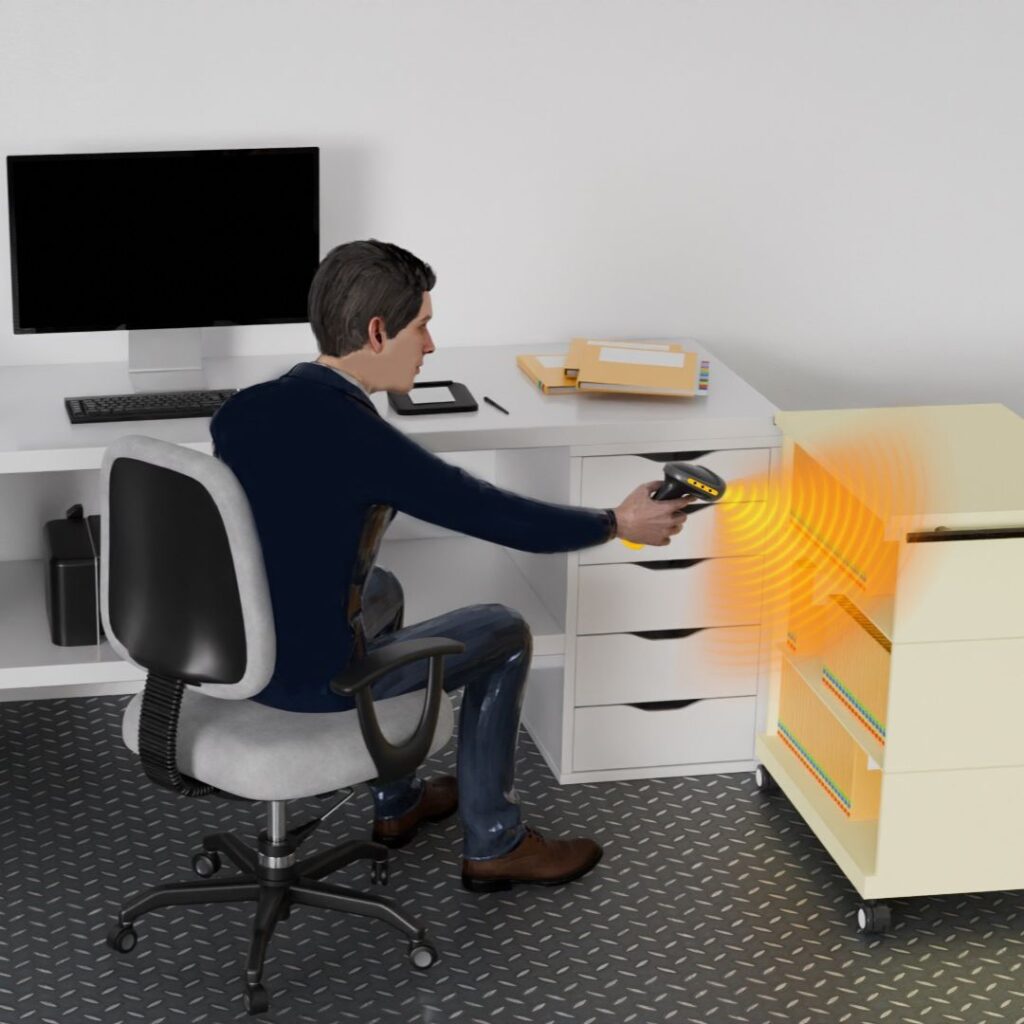
Zone 1: USB RFID-Barcode Scanner Stations
What it is: A desktop USB scanner that handles both RFID and barcode scanning, used at check-in/check-out stations.
What it does: Allows staff to scan individual files or entire stacks, bins, and archive boxes simultaneously. Supports the full check-in and check-out workflow, including transferring files to and from archive boxes with a single scanning action.
Why it matters: This is the human-facing interface of the system — where records staff interact most directly with IoTFileTracker. Its ability to handle both individual files and bulk archive transfers makes it the operational workhorse of the platform.
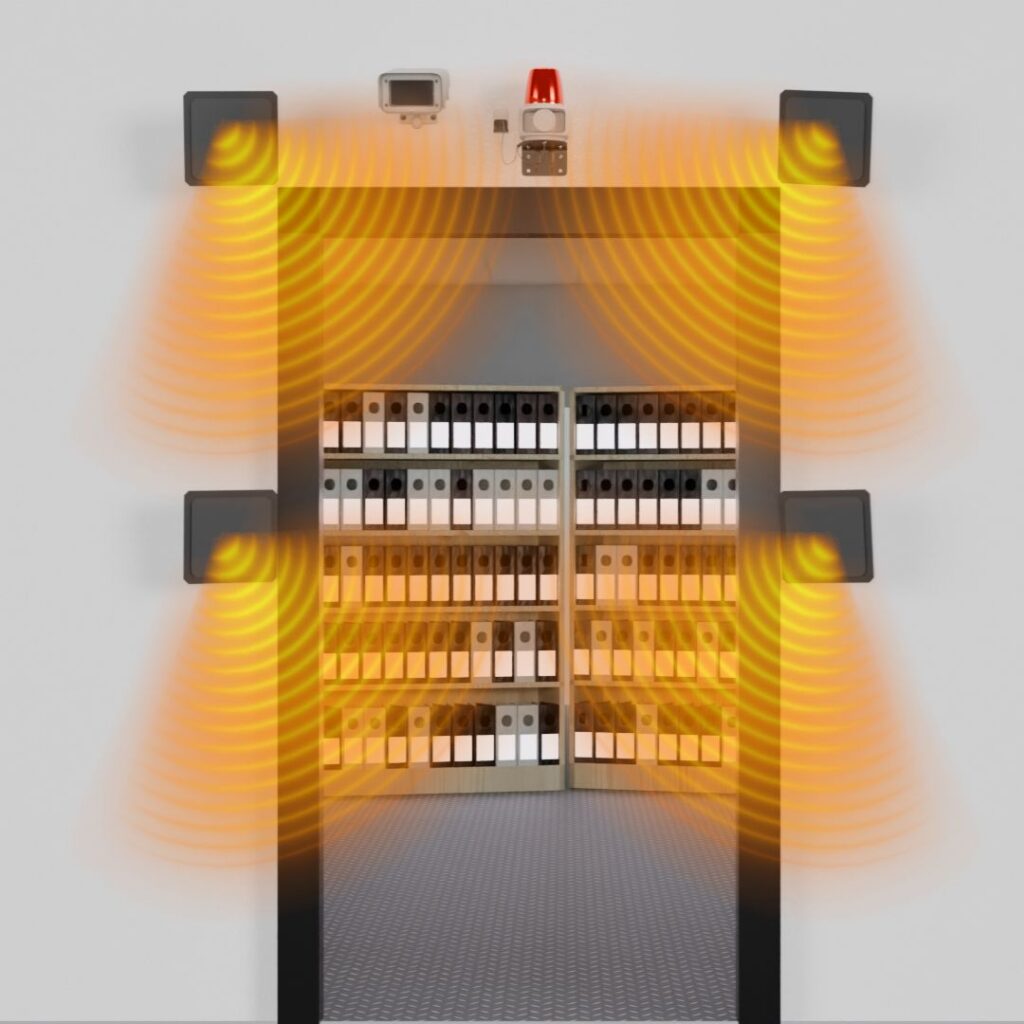
Zone 2: File and Archive Room Doorway Tracking Zones
What it is: Fixed RFID antennas installed at the entrances and exits of file rooms and archive rooms.
What it does: Automatically detects every file that passes through the doorway — whether it’s being carried by a staff member, moved on a trolley, or transported in a box. Check-ins and check-outs are logged automatically, without any manual scanning.
Why it matters: This zone eliminates the most common failure point of manual systems — the check-out step that gets skipped when staff are busy or distracted. It also provides continuous tracking during off-hours, evenings, and weekends when records management staff are not present.
Doorway zones are especially critical for identifying unauthorized file movements during non-routine hours. If a file leaves the archive room at 11 PM on a Saturday, IoTFileTracker knows — and can alert the appropriate personnel immediately.
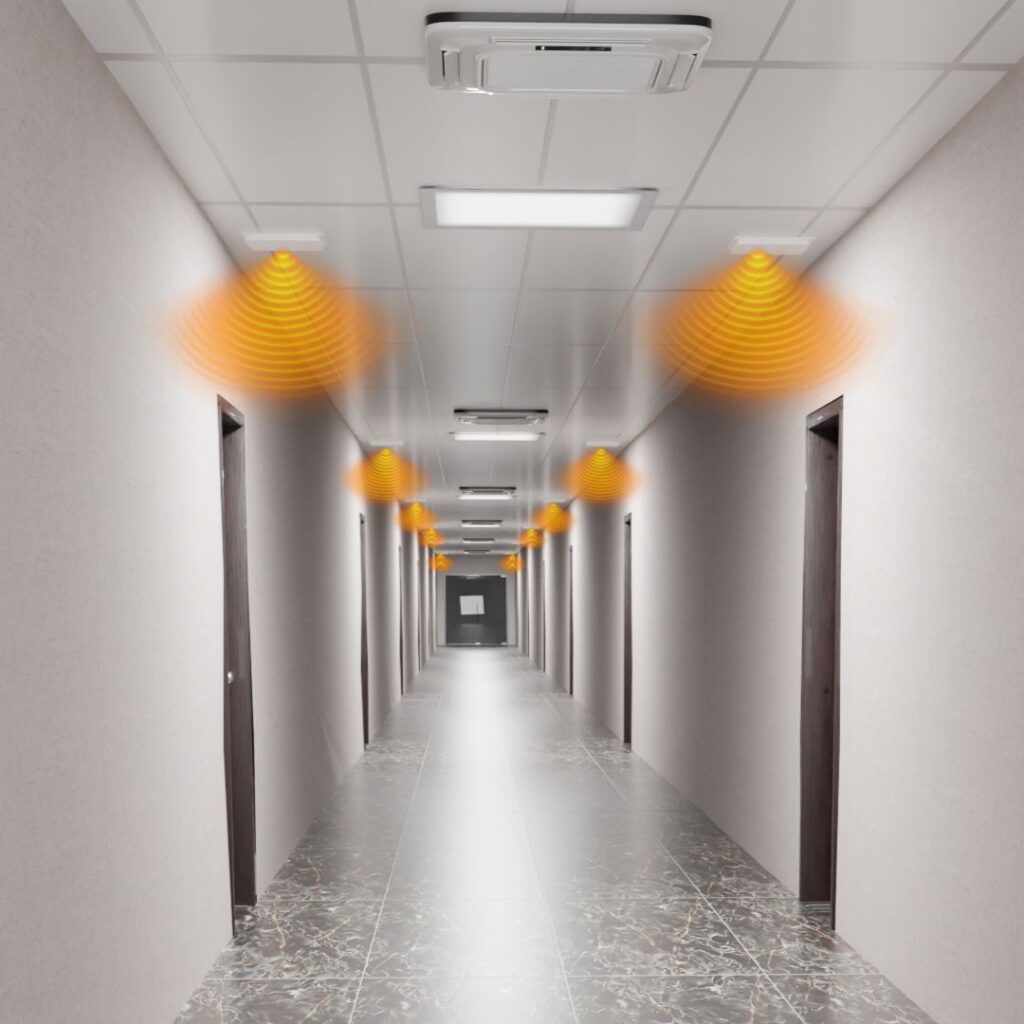
Zone 3: Facility-Wide RFID Tracking Zones
What it is: RFID antennas installed at key points throughout a building — hallway intersections, elevator lobbies, stairwell entrances, and office area doorways.
What it does: Tracks file movement throughout the entire facility, with each antenna detecting tagged files from distances of up to approximately 40 feet. Every detection event is logged with a timestamp and zone name, creating a continuous movement trail for every file.
Why it matters: Facility-wide tracking means IoTFileTracker can tell you not just that a file left the archive room, but exactly where it traveled afterward — which hallway, which floor, which office area. This granular location history is invaluable both for day-to-day retrieval and for post-incident investigations.
Each tracking zone is given a descriptive name within the software — “3rd Floor East Hallway,” “Building B Elevator Lobby,” “Legal Department Entrance” — so location data is immediately human-readable.
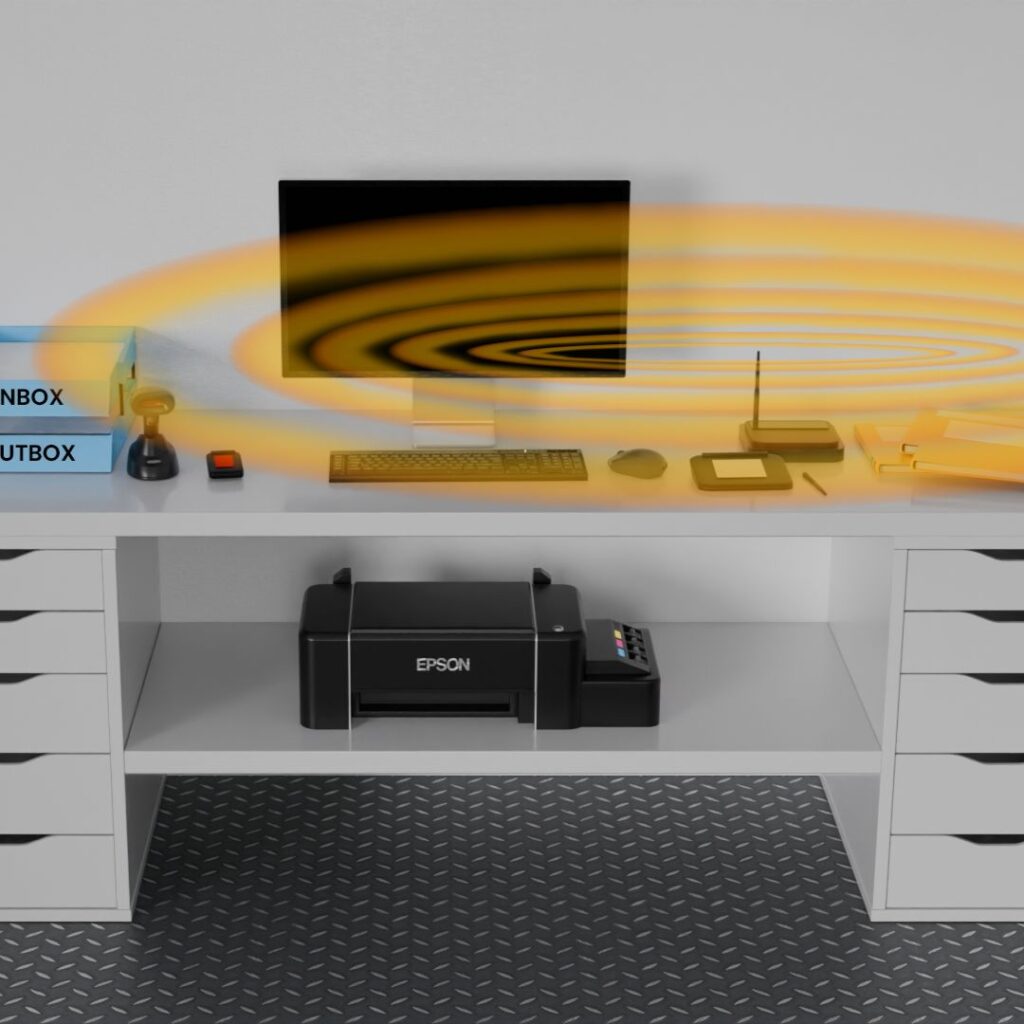
Zone 4: RFID Desktop Tracking Zones
What it is: USB desktop file detectors placed at individual workstations or work areas throughout the office.
What it does: Automatically detects when a tagged file arrives at or departs from a specific desk or work area, with a standard detection range of approximately 5 feet (extendable to 10 feet with higher-powered antennas).
Why it matters: Desktop tracking creates person-level accountability for file usage. Each detector is named in the system — either by workstation location or by the individual who works there. When a file arrives at John Smith’s desk, IoTFileTracker knows it. When it leaves, the system knows that too.
This zone is particularly valuable for organizations with compliance requirements around document access — where knowing who had a file and when is as important as knowing where the file is.
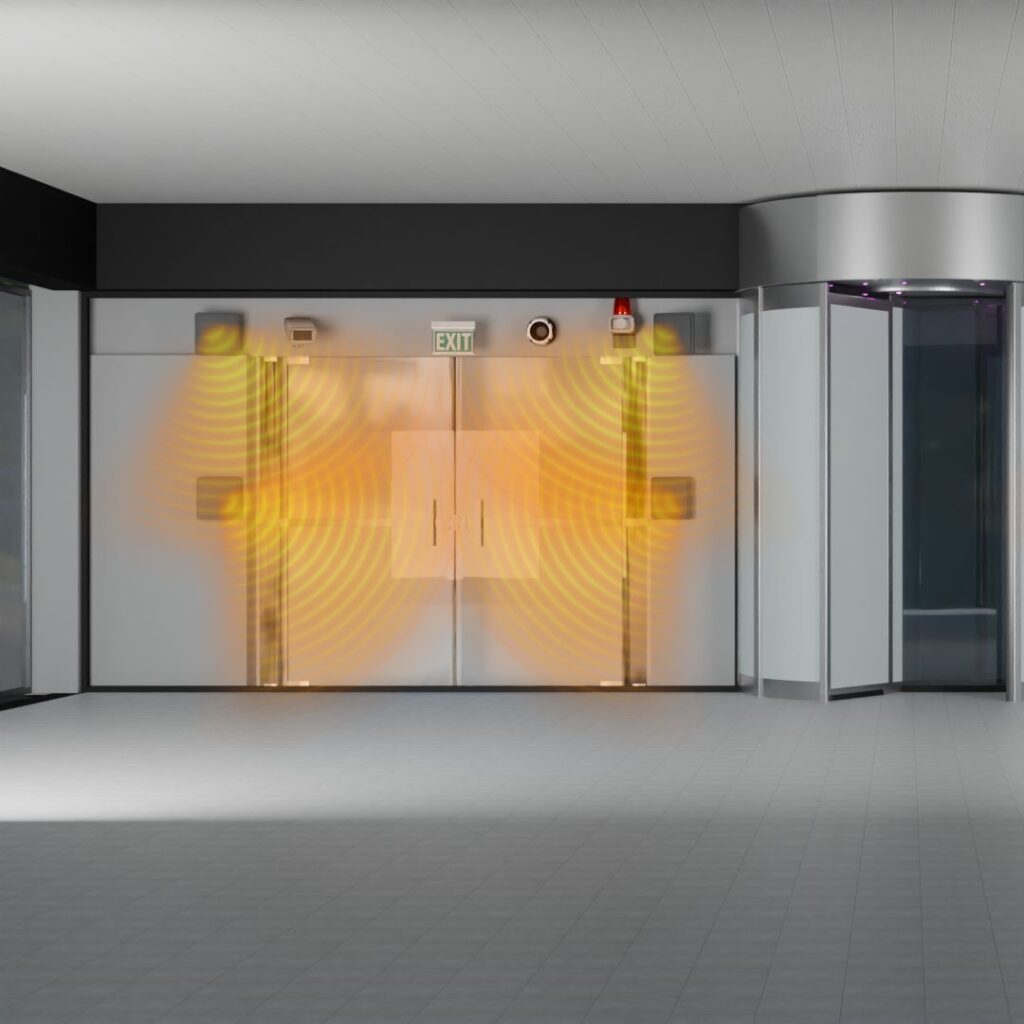
Zone 5: RFID Building Exit Security Tracking Zones
What it is: RFID antennas positioned at all building exits — main entrances, side doors, loading docks, and emergency exits.
What it does: Detects any tagged file approaching a building exit and immediately checks its authorization status. If the file is cleared for removal, the event is logged. If it is not authorized for removal, the system triggers:
- Audible alarms
- Flashing light alerts
- Voice announcements (e.g., “File unauthorized for removal — please return to the check-out tracking station”)
- Real-time software notifications to security and records management personnel
Exit zones can also be integrated with video surveillance cameras, creating a visual record of every exit event alongside the RFID data.
Why it matters: This is IoTFileTracker’s last line of defense against unauthorized document removal — one of the most significant and costly risks in physical records management. No other zone in the system carries higher security stakes.
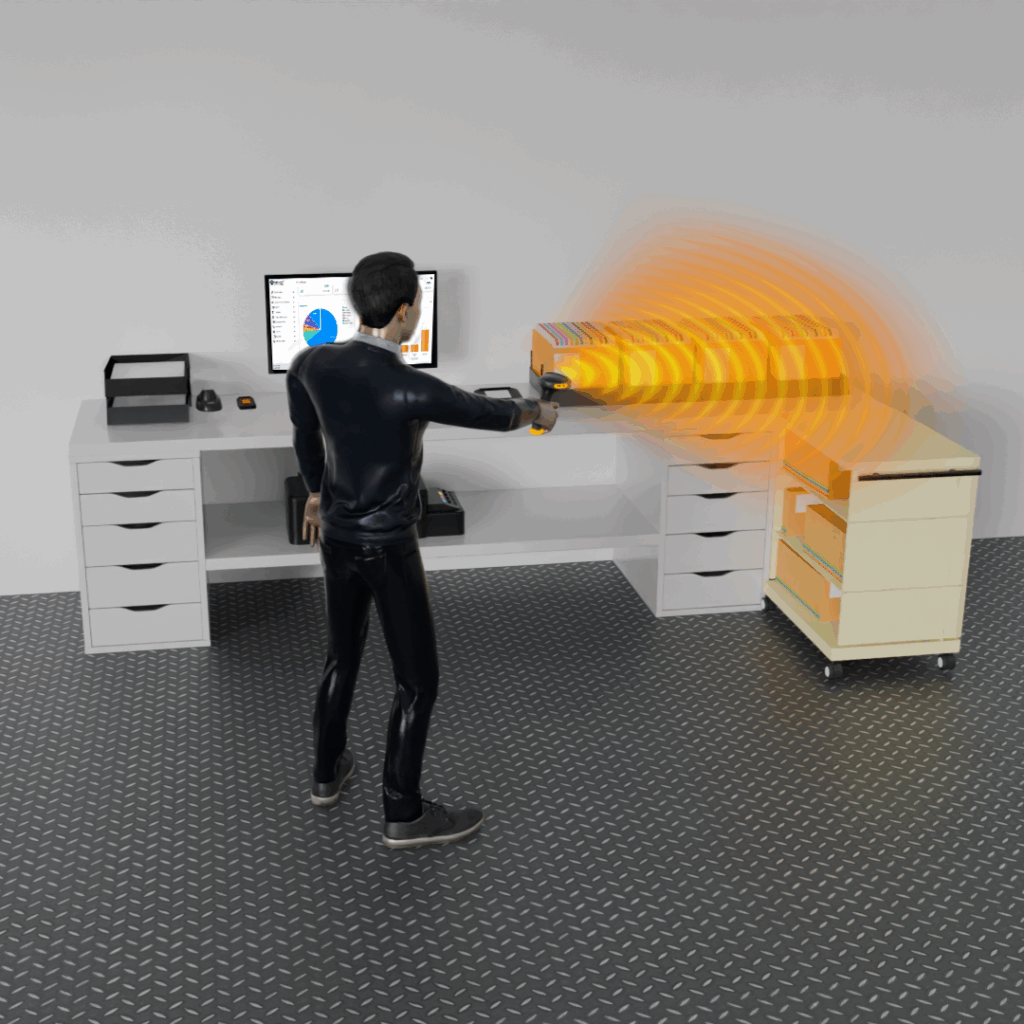
Zone 6: RFID Mobile Scanner Zones
What it is: Handheld RFID-barcode mobile scanners used by staff to perform roving inventory checks and locate specific files anywhere in the facility.
What it does: Mobile scanners detect RFID tags from distances of up to approximately 25 feet, allowing staff to scan large areas — entire rooms, long shelf runs, stacked archive boxes — rapidly and without touching each individual file. They are used for:
- Roving inventory updates — keeping the database current with the latest file locations
- Targeted file location — finding a specific file using the Find-a-File guidance system
- Storage-to-archive transfers — scanning shelf barcodes and file tags to log the movement of files into archive boxes
- Full system audits — periodic comprehensive scans of the entire records inventory
Mobile scanners bring the tracking capability of fixed antennas into any corner of the facility, ensuring complete coverage even in areas without permanent antenna installations.
The Find-a-File Feature: Locating Records in Seconds
The Find-a-File feature is one of IoTFileTracker’s most celebrated capabilities — and for good reason. It transforms file retrieval from a time-consuming search into a guided, near-effortless experience.
How Find-a-File Works
- A staff member enters the file reference number or searches by metadata in the IoTFileTracker interface
- The system identifies the file’s last known location zone based on the most recent RFID detection event
- The staff member takes a mobile RFID scanner (paired with a smartphone or tablet) and navigates to that general area
- As the scanner gets closer to the target file, it provides real-time proximity feedback:
Auditory Guidance The scanner emits beeping sounds that increase in frequency as the user approaches the target file. Far away, the beeps are slow and infrequent. As the user closes in, they become rapid and continuous — similar to a proximity detector.
Visual Color Scale The paired device’s screen displays a color gradient that shifts from cold colors (blue/green) when far away to warm colors (orange/red/hot) as the user approaches the file. A numeric proximity index provides additional precision.
- Following the audio and visual cues, the user is guided to the exact shelf position, drawer, or desk where the file is located — typically within 30 seconds to 2 minutes, regardless of facility size.
Why Find-a-File Is a Game Changer
Consider the alternative: a staff member searching for a misfiled document in a large records room with hundreds of shelf runs might spend 20–45 minutes or more on a manual search — and might not find it at all. With Find-a-File, that same search takes under two minutes, every single time.
Multiply that time savings across dozens of daily file retrievals and hundreds of staff members, and the productivity impact of this single feature alone justifies the investment in IoTFileTracker.
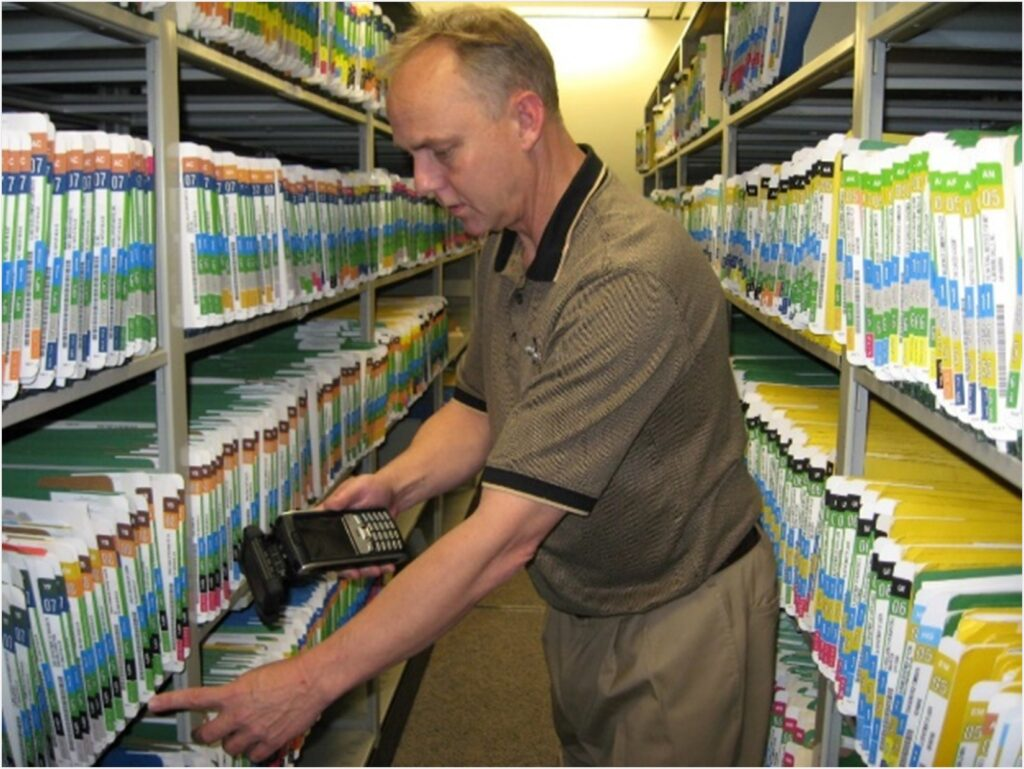
Automated Inventory Management with RFID
Inventory management is one of the most resource-intensive tasks in any records management operation. Traditional full inventory audits can take days or weeks, pulling records staff away from operational duties and often producing results that are already outdated by the time they’re compiled.
IoTFileTracker transforms inventory management in three ways:
Continuous Passive Inventory
Every time a fixed RFID antenna detects a file — whether at a doorway, ceiling, or desktop — it logs that detection as a location confirmation. Over time, this creates a continuously updated picture of where files are located across the facility, effectively performing a partial inventory in the background at all times.
Location-Barcode Triggered Scanning
Staff can initiate a targeted inventory of any specific area by scanning the location barcode (placed on a shelf edge, door frame, or storage unit) with a mobile scanner. The system immediately uses RFID to detect all tagged files within range, comparing the actual contents against what should be there according to the database — and flagging any discrepancies.
Scheduled Full System Audits
IoTFileTracker supports scheduled, systematic full-inventory audits using mobile scanners. Staff move through the facility in a defined pattern, scanning each zone and location in sequence. The system automatically reconciles the scan results against the database, producing a comprehensive audit report that identifies:
- Files confirmed in their correct location
- Files found in unexpected locations
- Files that were expected but not detected (potentially missing)
- Files detected in unauthorized areas
What once took days of manual counting and cross-referencing can now be completed in hours — with far greater accuracy.
File Security and Unauthorized Removal Prevention
Physical file security is a critical concern for any organization handling sensitive, confidential, or regulated records. IoTFileTracker provides a multi-layered security architecture that addresses threats at every level.
Layer 1: Access Logging
Every interaction with every file is logged automatically — who checked it out, when, from where, and when it was returned. This creates an immutable access history for every record in the system.
Layer 2: Off-Hours Movement Detection
Doorway tracking zones operate 24 hours a day, 7 days a week. Any file movement during non-business hours is automatically flagged and can trigger immediate notifications to designated security personnel.
Layer 3: Unauthorized Zone Detection
Files can be assigned authorized movement zones within IoTFileTracker. If a file tagged for the Legal Department is detected in the Finance Department, the system can flag the anomaly and alert the records manager.
Layer 4: Building Exit Alarms
As described in Zone 5, exit security antennas provide the final perimeter defense — triggering multi-modal alarms when unauthorized files approach building exits.
Layer 5: Video Integration
Exit zones and high-security areas can be integrated with existing video surveillance infrastructure, pairing visual footage with RFID event data to create comprehensive incident records.
Layer 6: Comprehensive Audit Trails
Every event — every detection, every movement, every alert, every check-in and check-out — is permanently logged with timestamps, zone data, and user information. These audit trails provide irrefutable accountability for every file in the system.
Industries That Benefit Most from IoTFileTracker
While IoTFileTracker is applicable across virtually any sector that manages physical records, certain industries derive especially significant value from its capabilities:
Healthcare
Hospitals, clinics, and healthcare networks manage enormous volumes of physical patient records, consent forms, lab results, and insurance documents. RFID tracking ensures that patient files are always locatable, access is fully logged for HIPAA compliance, and critical documents are never misplaced when patient care depends on them.
Legal
Law firms and courts manage case files, evidence records, contracts, and discovery documents — often under strict retention schedules and confidentiality requirements. IoTFileTracker ensures case files are always where they should be and that access histories can be produced on demand.
Government and Public Sector
Government agencies at every level manage vast records inventories — permits, licenses, land records, public safety files, and more. RFID tracking supports public records compliance, freedom of information requests, and the security requirements of sensitive government documents.
Finance and Banking
Financial institutions handle loan files, account documentation, compliance records, and regulatory filings. IoTFileTracker’s audit trail capabilities are particularly valuable for meeting the stringent record-keeping requirements of financial regulators.
Insurance
Insurance companies manage policy files, claims records, and underwriting documentation across large distributed organizations. Real-time tracking ensures files are retrievable quickly when claims are being processed and that retention schedules are enforced automatically.
Human Resources
HR departments manage personnel files, performance records, contracts, and sensitive employee documentation. IoTFileTracker’s access logging capabilities ensure that only authorized personnel access sensitive HR records.
IoTFileTracker solution vs. Traditional Barcode-Only Systems
Many organizations considering IoTFileTracker are coming from barcode-based file management systems. Here’s a comprehensive comparison:
| Capability | Barcode-Only System | IoTFileTracker (RFID + Barcode) |
|---|---|---|
| Scan Method | Manual, one file at a time | Passive + manual, many files simultaneously |
| Off-Hours Tracking | ❌ None | ✅ Continuous, 24/7 |
| Check-in/Check-out | Manual scan required | Automatic at doorways |
| Stack/Box Scanning | ❌ Not possible | ✅ Entire box in one scan |
| Real-Time Location | ❌ Last manual scan only | ✅ Live updates |
| Find-a-File Guidance | ❌ Not available | ✅ Audio/visual proximity guidance |
| Exit Security Alarms | ❌ Not available | ✅ Automated multi-modal alerts |
| Inventory Speed | Days of manual effort | Hours with mobile scanner |
| Human Error Exposure | High | Minimal |
| Facility-Wide Tracking | ❌ Not possible | ✅ Up to 40-foot detection range |
| Audit Trail Quality | Partial (manually logged) | Complete (automatically logged) |
IoTFileTracker does not replace barcode functionality — it enhances and extends it. Organizations can continue using barcode scanning where it makes sense while gaining all the additional capabilities that RFID enables.
Conclusion
Physical records management has long been one of the most overlooked operational challenges in modern organizations. It’s not glamorous, it’s not digital-first, and it doesn’t generate revenue. But the cost of doing it badly — in lost productivity, compliance violations, security breaches, and administrative overhead — is enormous.
IoTFileTracker changes the economics of physical records management fundamentally. By automating the tracking, retrieval, inventory, and security of physical files through RFID technology, IoTFileTracker transforms a persistent operational burden into a streamlined, low-effort, high-visibility function that runs largely on its own.
The files are always where the system says they are. Retrieval takes seconds, not minutes or hours. Audits are completed in hours, not days. Security alerts fire the moment an unauthorized movement is detected. And compliance documentation is always complete, current, and ready to produce.
This is not the future of file management. With IoTFileTracker, this is the present — and organizations that deploy it today are gaining a measurable competitive and operational advantage over those still relying on manual systems.